Bid Document Review Assistant
This is a built-in business tool in bit-Agent. It reviews bid documents against the evaluation criteria in tender documents, then generates results and reports.
The tender document provides the project's evaluation criteria. The bid document provides the actual responses and supporting materials.
It connects upload, review, results, and reports into one continuous flow.
This feature is free for a limited time.
What It Can Do
- Start a bid document review task
- Show review progress
- Generate review results and reports
- Open reports for viewing
- Download reports
- Cancel the current task
Quick Start
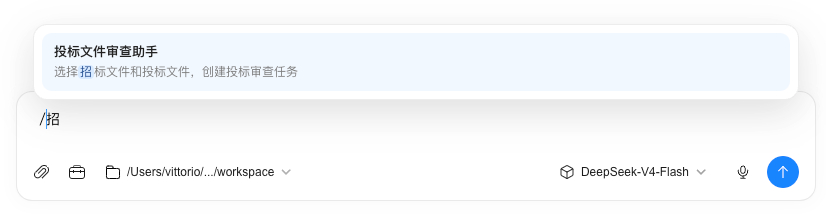
- Start a
bid document reviewin the conversation, or type/and chooseBid Document Review Assistant.
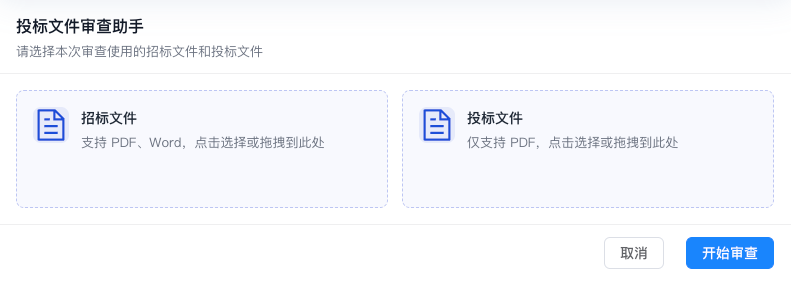
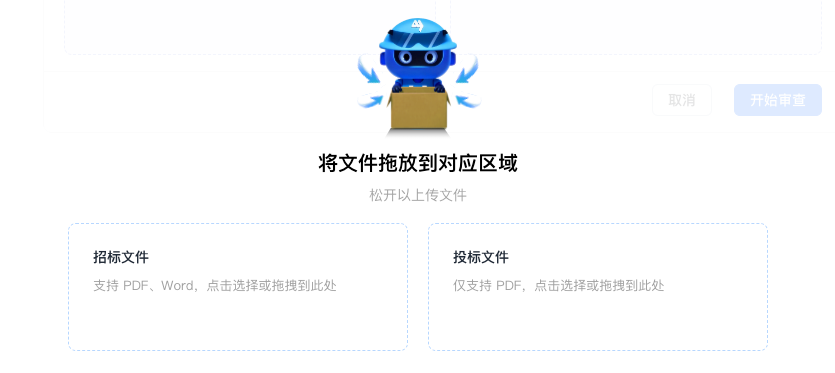
- After the task creation card appears, upload the tender document and the bid document.
- Click
Start Review. - Wait for the review to finish.
- After the review is complete, you can view or download the report.
File Requirements
- Each review accepts only 1 tender document and 1 bid document.
- Tender document:
PDFandDOCXare supported. - Bid document: only
PDFis supported. - If the file format does not meet the requirements, the system asks you to upload again.
Review Flow
This section explains how the tool processes files internally, so you can understand where the review results come from.
The Bid Document Review Assistant processes each review task through these stages:
- It first validates whether the input files meet the requirements. The default requirement is one tender document plus one bid document, with clear format restrictions.
- It then parses the tender document and extracts review items, evaluation criteria, and constraints as the basis for later review.
- Next, it parses the bid document and extracts response content, evidence snippets, and corresponding materials as review inputs.
- It then matches the requirements from the tender document against the evidence from the bid document item by item, determining whether each item is addressed, missing, or deviates from the requirement.
- During comparison, it continuously summarizes review progress and generates a result summary and report entry when the task is complete.
You can think of it as a process that reads the tender requirements first, then reads the bid response, and finally checks each item and outputs conclusions.
What You Will See During Review
- Task creation card: used to upload files and start the review
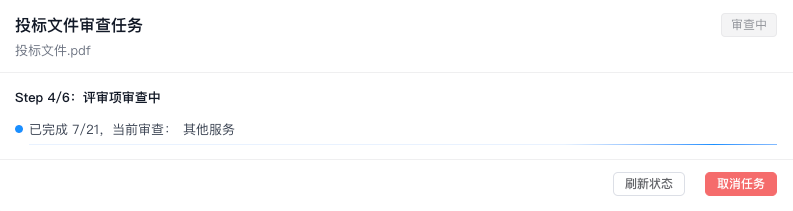
- Progress card: used to view the current review status. The review may take a while, so please wait patiently
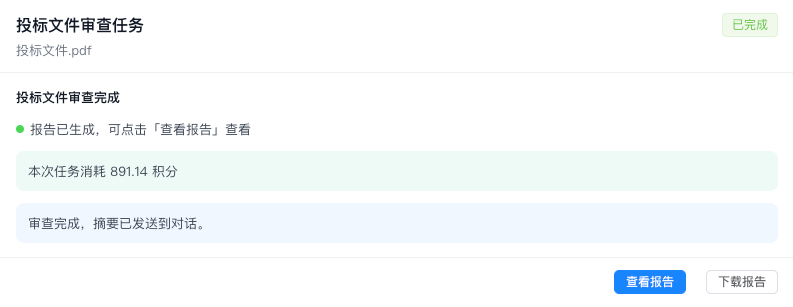
- Completion card: used to view results, open the report, or download the report
If you see the task creation card, files have not been uploaded yet. If you see review in progress, the task is being processed. If you see review complete, you can view or download the report.
After Review Is Complete
- You can view the report directly.
- You can also download the report locally.
- If you switch to another conversation and later return, you can still find this review result in the history.
Cancel a Task
If the current review no longer needs to continue, you can cancel the task from the card.
After cancellation, this review stops and the current task status is preserved. You can start a new review later when needed.
FAQ
Can I keep chatting while the review runs?
Yes. The Bid Document Review Assistant is an independent business tool and does not block you from continuing the conversation with bit-Agent.
Are .doc files supported?
No. Please use PDF or DOCX for the tender document, and PDF for the bid document.
Can the report be downloaded?
Yes. After the review is complete, you can view the report directly or download it locally.
Why is the report entry temporarily unavailable?
Usually because the task has not finished, or because the report has expired. Start the review again or reopen the corresponding task to view it.
Can a bid document be stitched together from multiple files?
No. The current version requires the bid document to remain one complete, continuous main file. This allows evidence, corresponding review items, and traceable conclusions to be extracted reliably. Directly stitching multiple files together makes content boundaries and sources unclear.
We will continue improving multi-file capabilities so business, technical, pricing, and other independent response files or supplemental files can participate in review together.
Notes
The Bid Document Review Assistant is a built-in business tool in bit-Agent, not an independent external application.
This documentation describes only the user-visible usage flow and results. It does not cover internal implementation details.
Future Direction
This tool will continue to improve. Planned directions include:
- Relaxing the current
only one tender document and one bid documentlimit and supporting more flexible multi-file upload - Supporting business, technical, pricing, and other independent response files, or other supplemental files, in the same review
- Showing more intermediate results during review so users can preview key conclusions earlier
- Making the review process more detailed so users can see which content was matched and which content still needs to be supplemented
Continuous Improvement
The Bid Document Review Assistant will continue to iterate on functionality and user experience. If you have new requirements, suggestions, or issues while using it, please send us feedback. This feedback is valuable for improving the tool.