My browser says "bit-Agent is not commonly downloaded." What should I do?
Description
When downloading bit-Agent, the browser shows a security warning, or Windows SmartScreen shows a security alert during installation.
Cause
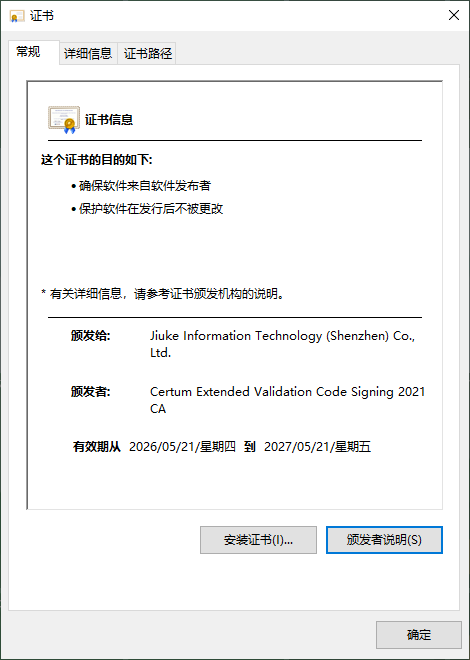
This is caused by the browser's or Windows security policy. We have applied for an EV code signing certificate, but a newly issued certificate needs to accumulate enough positive reputation before SmartScreen warnings are suppressed.
Solution
Bypass the browser warning
Click the ... button in the prompt and choose Keep to continue the download.

Verify the installer is safe
- Make sure you downloaded the installer from https://bitagent.ninetechone.com
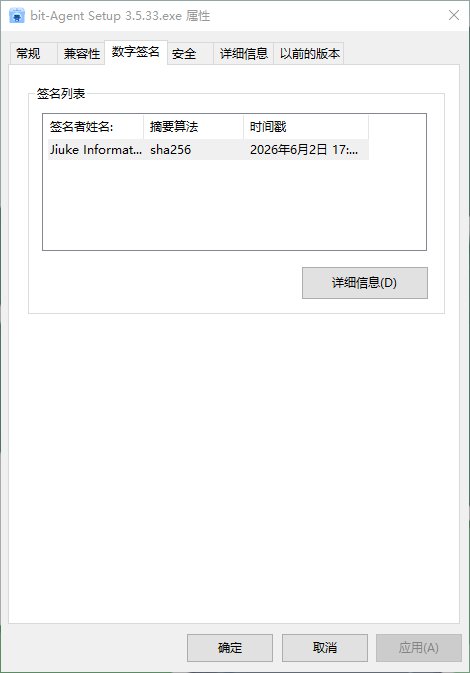
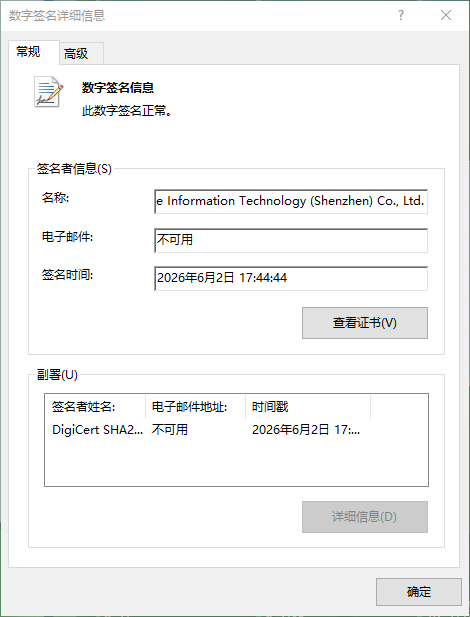
- After downloading, right-click the installer, choose Properties → Details → View Certificate, and confirm the digital signature is from Jiuke Information Technology (Shenzhen) Co., Ltd.