Explore a New Workflow
What is "Exploration"?
Exploration mode means: you describe a goal in one sentence, and bit-Agent figures out how to operate the page until the goal is completed
You only need to tell it:
what you want to do
It will:
- plan the steps by itself
- click, type, and navigate pages on its own
- operate the browser for you from start to finish
Let's Try a Simple Exploration Together
Enter the following instruction directly into the chat box:
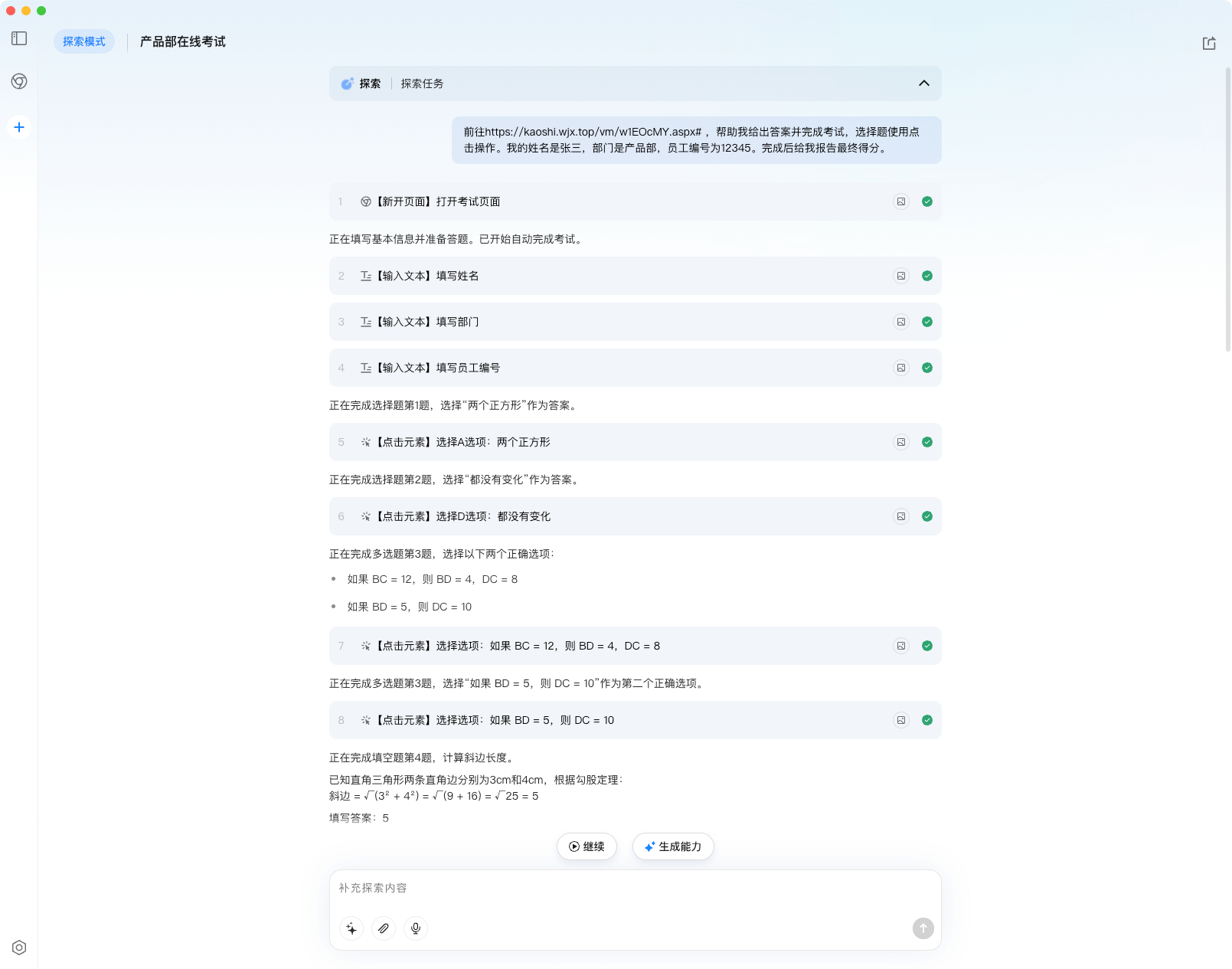
Go to https://kaoshi.wjx.top/vm/w1EOcMY.aspx#
Help me answer the questions and finish the test. Use click actions for multiple-choice questions. My name is Zhang San, my department is Product, and my employee ID is 12345. After completion, report the final score.
You will see:
- the browser opens automatically
- it starts clicking, filling, and submitting on its own
- you do not need to do anything manually
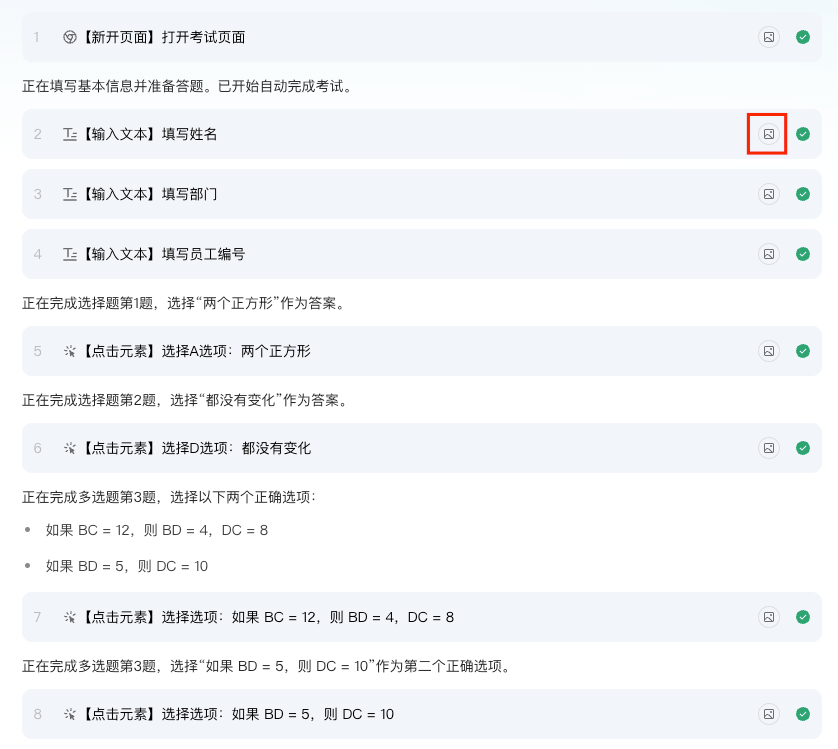
You can click the Image button beside each step to view the page state at that moment:
When the workflow finishes, continue to the next step: From Exploration to Capability: Build Reliable Productivity
What if Something Goes Wrong During Exploration?
Case 1: It clicked the wrong button or typed in the wrong place
Common reasons:
- There are multiple
Addbuttons on the page - There are several similar input boxes
How to fix it:
Be more specific in your instruction, for example:
Click the Add button in the upper-left corner of the page
Case 2: It stopped halfway through
You can simply type:
Continue
and it will keep going.
Case 3: The same instruction produces slightly different steps
This happens because:
an LLM is inherently probabilistic
If you:
- care a lot about stability
- plan to reuse the workflow long term
Recommendation: generate a capability immediately after exploration succeeds
Notes
- Do not manually operate the page while exploration is running. That may cause failure, abnormal steps, or affect later capability generation.
- Pay attention to bit-Agent's working state. Sometimes it may pause or become lazy even if it says it will continue. The frequency depends on the underlying model and cannot be fully eliminated for now. In that case, simply send Continue to let it keep working.
- Because LLMs are probabilistic models, even the exact same exploration input may sometimes lead to different steps. This is normal, although not ideal. We will keep reducing that uncertainty. If your workflow requires high stability, describe the steps as clearly as possible and convert the result into a capability after the exploration ends.