Subscription Guide
You can go to Console -> Subscription Management to purchase a subscription.
| Lite | Pro | Prime | |
|---|---|---|---|
| Best for | Individual users | Small and medium businesses | Private deployment; contact our consultant for pricing |
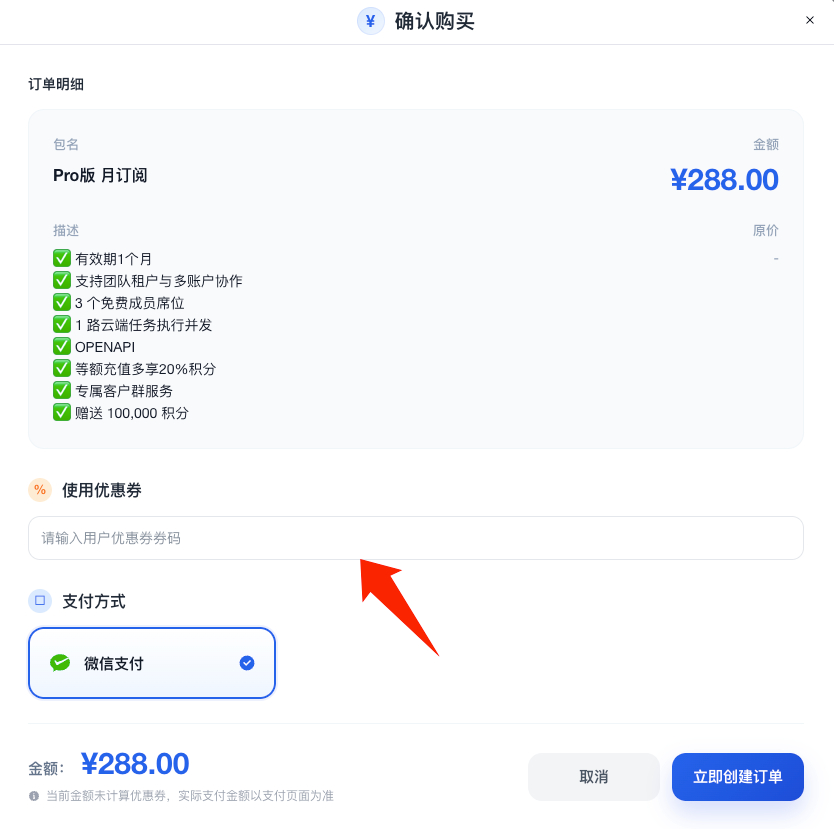
| Price | Free | Base price: RMB 288 / month | |
| Included | Local task execution, capability generation, AI repair, scheduled tasks, task replay, service marketplace | Local task execution, capability generation, AI repair, scheduled tasks, task replay, service marketplace, plus team tenant management, multi-account support, 3 free team seats, 1 concurrent cloud executor, and OpenAPI | |
| Credits | 10,000 free credits on account creation; RMB 100 buys 100,000 credits | 100,000 team credits per month; RMB 100 buys 120,000 credits |
Purchase Pro
Please note: purchasing the Pro version creates an independent tenant, separated from a personal account, which is more suitable for enterprise management.
Go to Console -> Subscription Management to purchase the subscription.
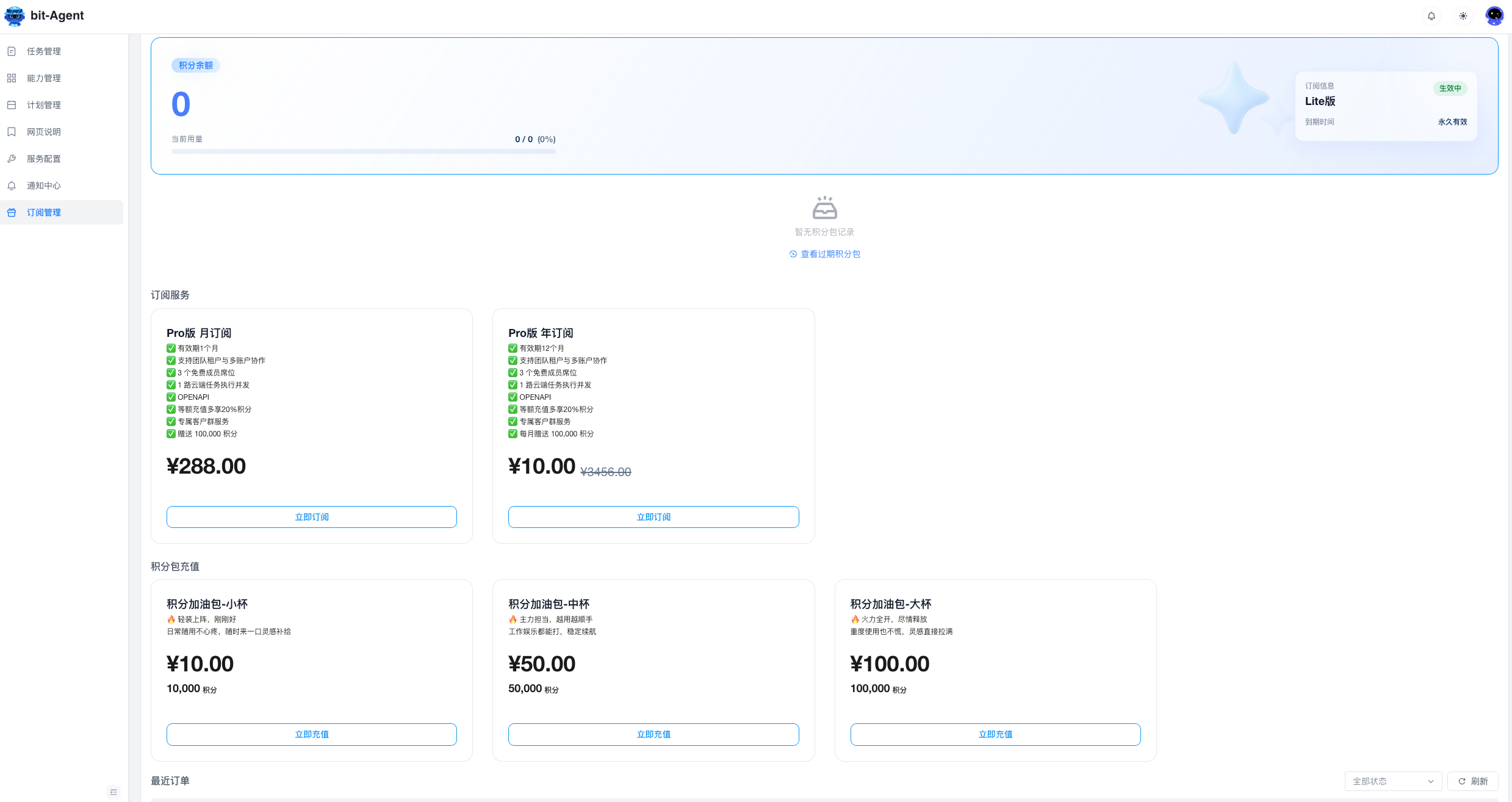
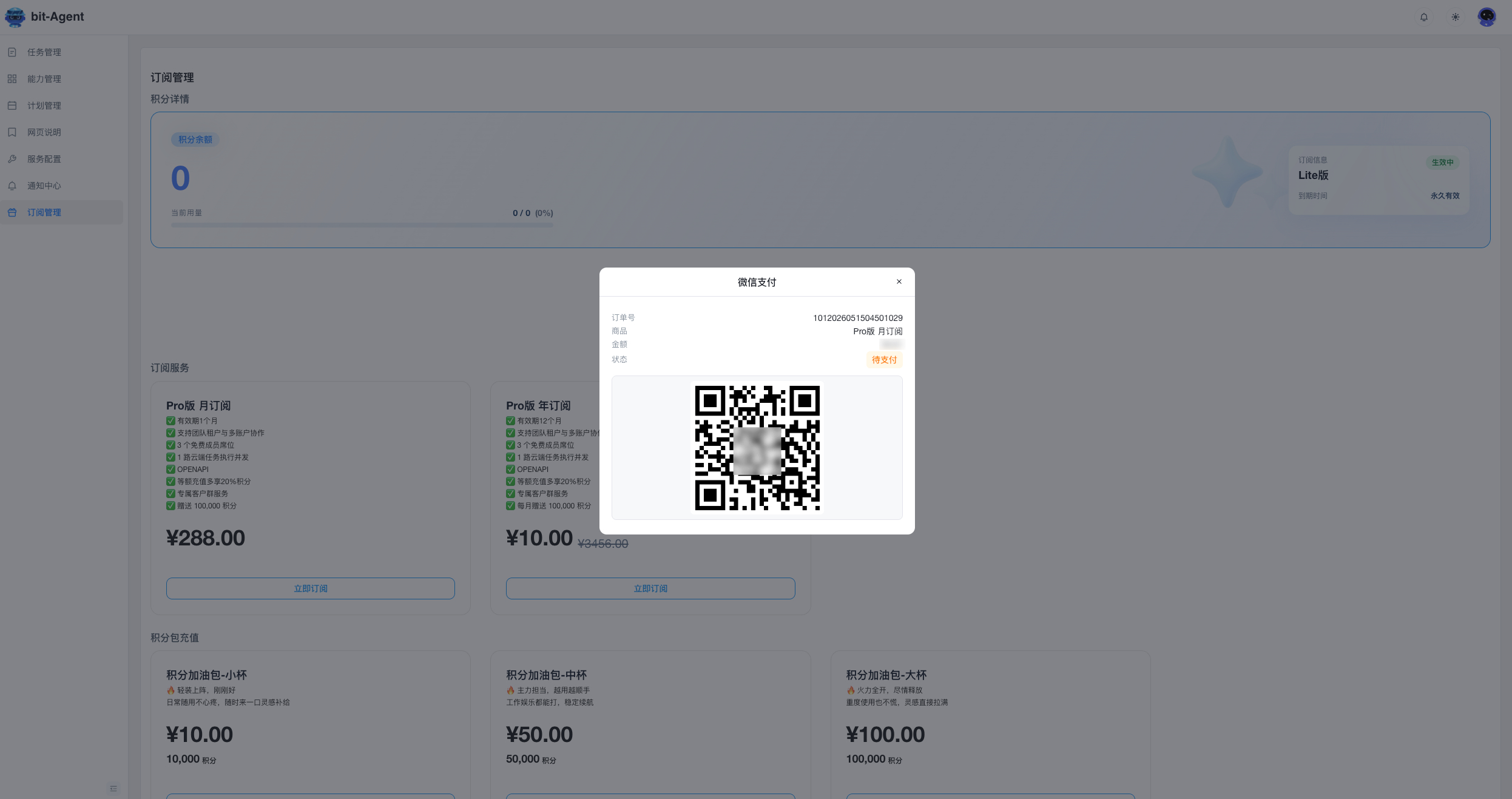
If you purchase Pro while using the Lite version, a new tenant is created. You need to sign in again and choose the newly created tenant to access Pro features.
If you want to renew Pro, make sure you switch to the correct tenant before purchasing the subscription.
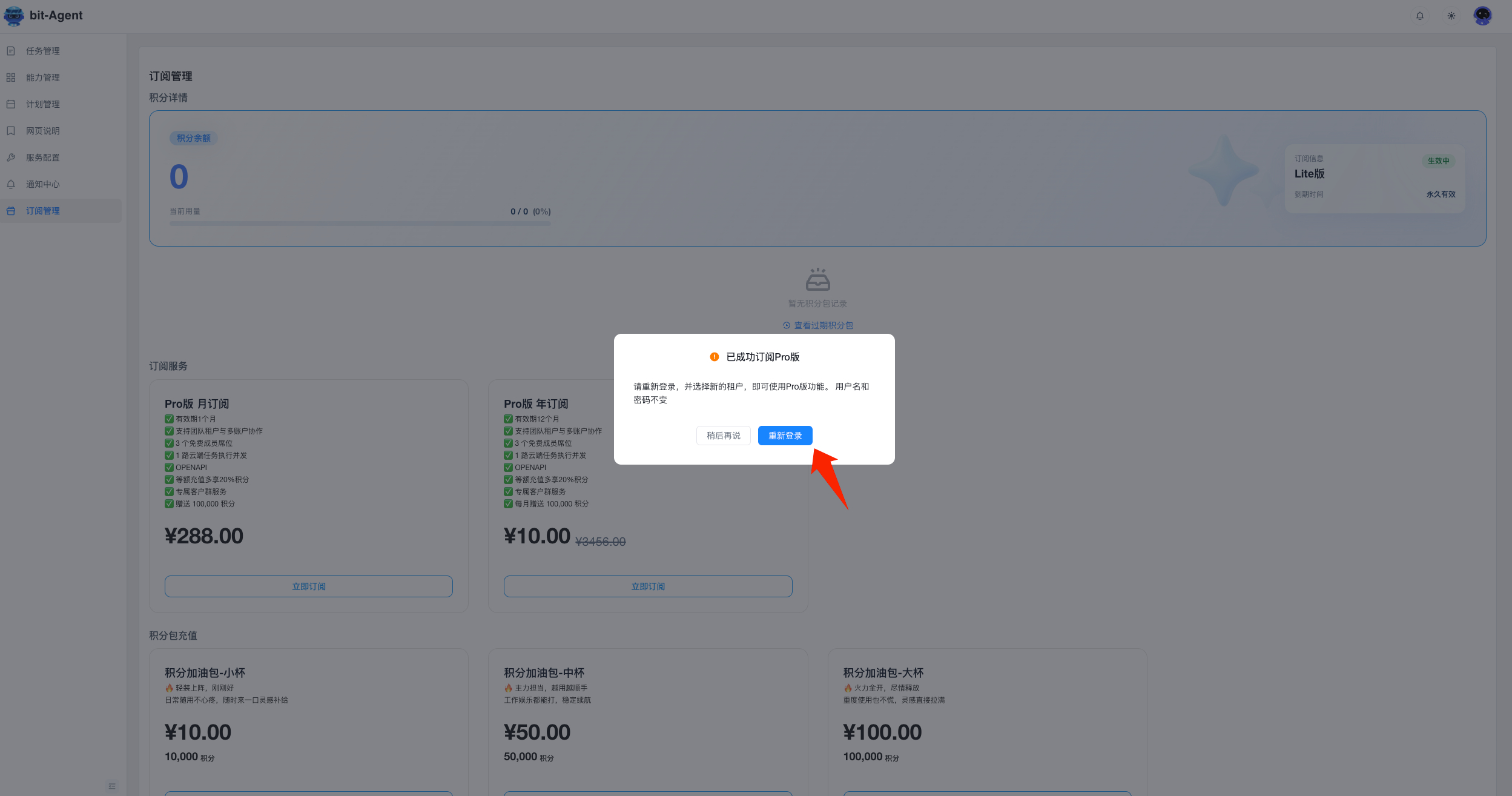
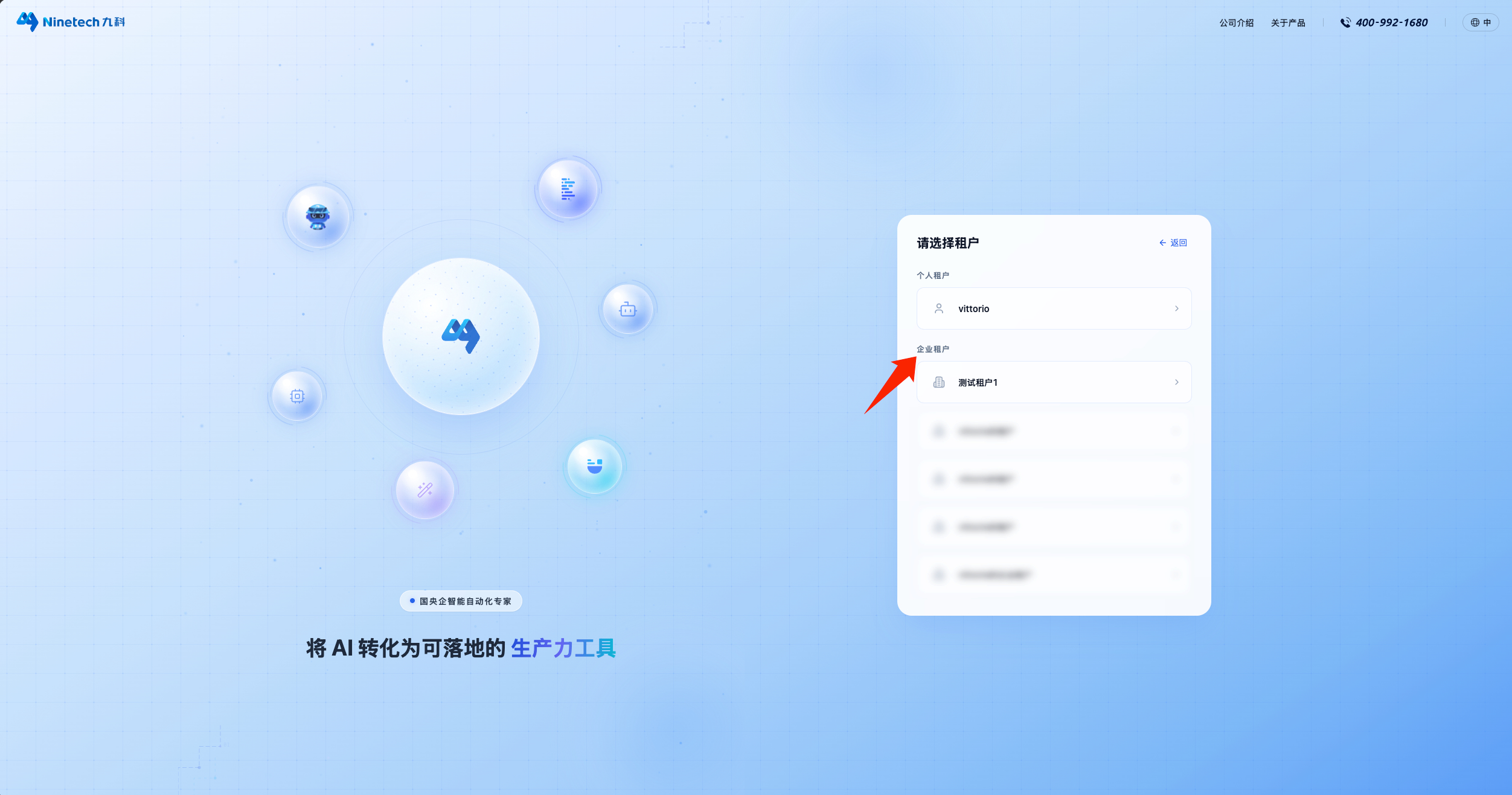
After the subscription succeeds, sign in again. Using the same account and password, you will see a tenant selection page. Choose the new enterprise tenant, usually named something like xxx's enterprise tenant, and then you can start using it.
Use Coupons
After choosing a plan, you can use a coupon. Enter the coupon code and create the order to apply the discount. If a coupon has been used on an unpaid order, that order must be closed manually before the coupon can be released and used again.
Credits
Credits are the unit used by the platform to measure AI computation resource usage.
When you use AI for exploration or task execution, the system deducts credits automatically based on the model used, token consumption, and actual computation process.
Credits are only used to measure system resource consumption. They do not represent monetary value.
1. Credit Consumption Rules
Credits are consumed when AI performs:
- exploration
- task execution
- dynamic-mode generation
- content generation
- file generation
- AI repair
- some marketplace tools
The system calculates consumption automatically based on:
- the AI model
- the number of tokens consumed
- the model's computation multiplier
The following assistant features do not consume credits:
- automatic title generation
- helper features such as automatic CRON expression generation
2. Credit Usage Display
Session Usage
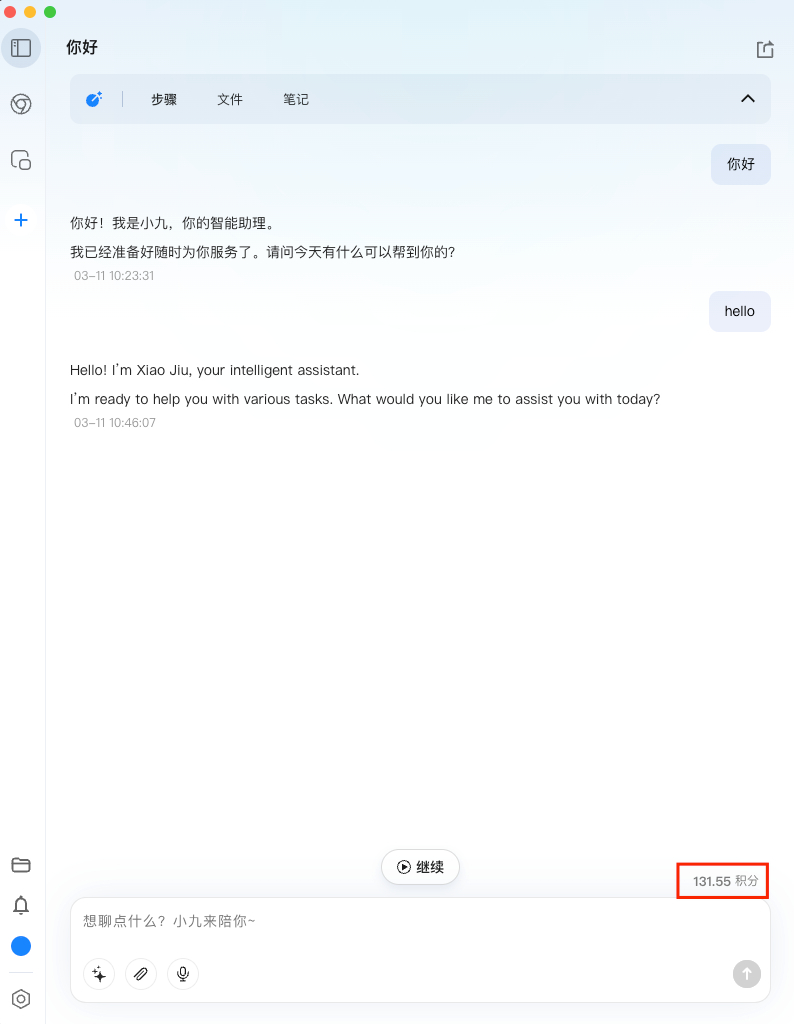
Within the current session, the system shows the accumulated credit consumption for that session.
Display location:
- the bottom of the conversation box
Task Detail Usage
On the task detail page, you can view the credits consumed by that task.
If a task did not use dynamic mode or AI repair, credit consumption may be 0, which is normal.

3. Credit Balance Display
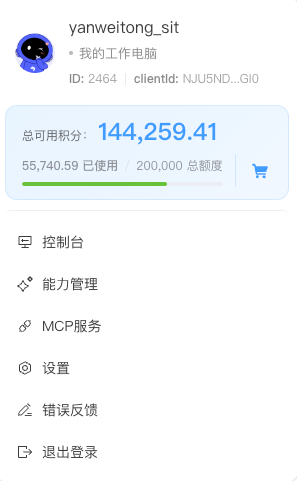
At present, the remaining credit balance is shown only on tenant admin pages:
Top Up
We currently support WeChat Pay for credit top-ups.
Entry Point
Sign in using a tenant admin account and open the quota management page to start a top-up.
Top-Up Process
- Select a top-up package
- Confirm the order amount
- Complete payment with WeChat
- Refresh the page after payment succeeds to view the updated balance
Top-Up Rules
- Exchange rate:
1 RMB = 1000 credits - If the balance does not update immediately after payment, wait a moment and refresh again
FAQ
Q: How do I subscribe to a plan?
A: Go to Console -> Subscription Management, choose the plan that fits your needs, and complete the purchase.
Q: What is the difference between versions?
A: The platform offers several editions for different scenarios:
- Lite: for individual users, includes core features, free to use
- Pro: for business users, with enterprise-oriented features such as shared credits within the tenant and better credit discounts
- Prime: supports private deployment with customized solutions and dedicated services; contact sales for details
Q: Can one user join multiple enterprise tenants?
A: Yes. A single user can join multiple enterprise tenants, which makes collaboration across organizations possible.
Q: What are credits?
A: Credits are the unit used to measure AI computation resource consumption.
When AI is used to execute a task or perform exploration, the system automatically deducts credits based on:
- the model type
- token usage
- the actual computation process
Credits are only a resource metering unit and do not have monetary value or cash redemption value.
Q: Can the Pro version scale further?
A: Yes. After purchasing Pro, you can expand resources based on actual needs, such as:
- number of seats
- number of cloud executors
This makes it suitable for organizations of different sizes.