Web Page Notes
Web Page Notes is bit-Agent's built-in page knowledge base. It lets you add guidance for common web pages or business systems so the Agent has richer page understanding during exploration and operation.
By manually annotating different URLs and page modules, the Agent can provide intelligent reminders, navigation guidance, or automatic completion logic while it runs.
Web Page Notes are organized around URLs. Multiple notes can be accumulated and improved over time for the same page, gradually forming page-level knowledge for a specific system or interface. These notes are loaded dynamically during task execution, workflow planning, and user interaction to improve understanding accuracy and reduce uncertainty.
At present, Web Page Notes only take effect in exploration mode.
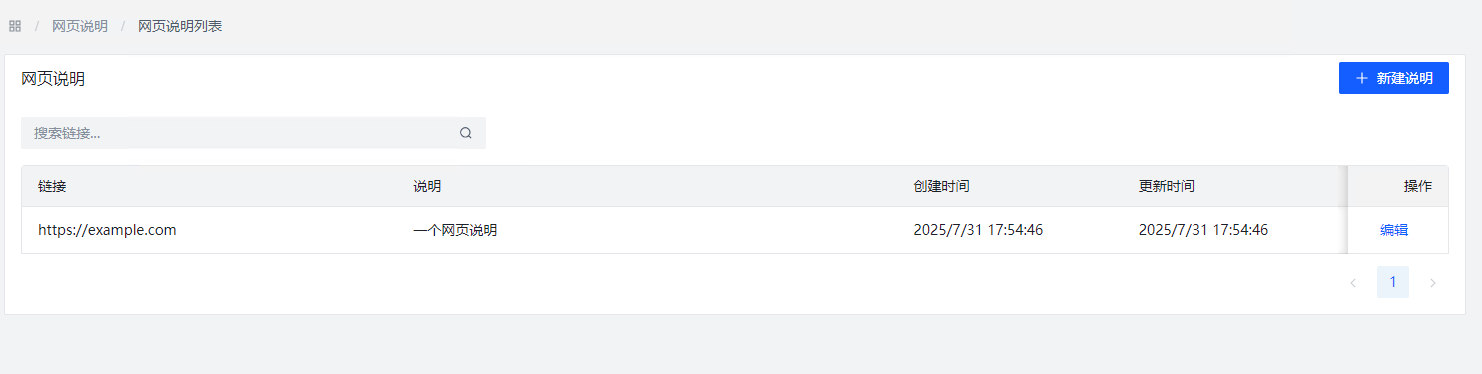
Add a Web Page Note
Each note consists of two parts:
URLDescription
During exploration, the system automatically queries the notes configured under the current tenant and appends them to the exploration prompt.
URL matching uses pattern matching. For example:
- Registered notes:
https://crm.example.com/*: general operating instructions for the CRM systemhttps://crm.example.com/customer/detail?id=*: instructions for the customer detail page
- When visiting
https://crm.example.com/customer/detail?id=123:- both notes above are matched and added to the exploration prompt
- no more than 10 matching notes are added at the same time
* means a wildcard and can match any content. It can appear anywhere in the configured URL.
You can add many kinds of notes, for example:
- how to use certain page buttons
- page-specific decision logic
- business workflows embedded in the page
Tenant System Prompt
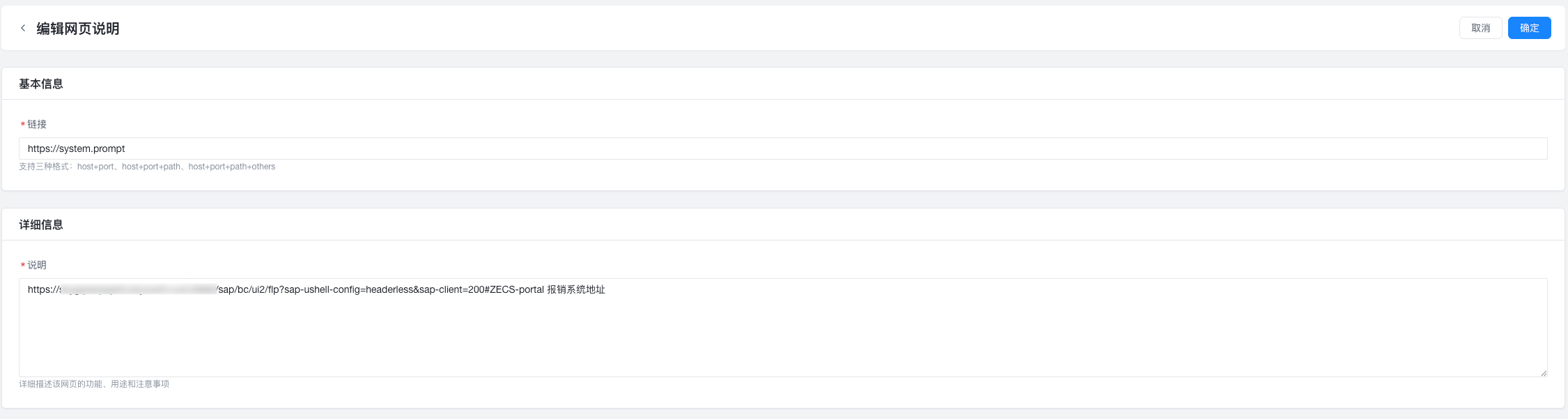
You can also set a tenant-wide system prompt for Agents under your tenant. Unlike ordinary page notes, this system prompt is given to the model at every step of exploration.
To add one, create a Web Page Note using the URL:
https://system.prompt
Then put the system prompt content into the description, such as addresses of commonly used internal systems like reimbursement systems or office systems.
Tenant system prompts affect all requests from all users under the tenant. Configure them carefully. We recommend using them only for general knowledge such as safety rules and tenant information. We also recommend not using the tenant admin account directly for business operations; it should primarily be used for administration and tenant-wide shared content maintenance.
Permission Rules
Both regular users and tenant administrators can configure Web Page Notes, but the rules are different:
- Regular users: can view and edit their personal-level notes. During exploration or AI repair, the system loads both tenant-level and personal-level notes into the model context.
- Tenant administrators: can view and edit tenant-level notes, but cannot access or modify personal-level notes.