Service Management
Configure Services
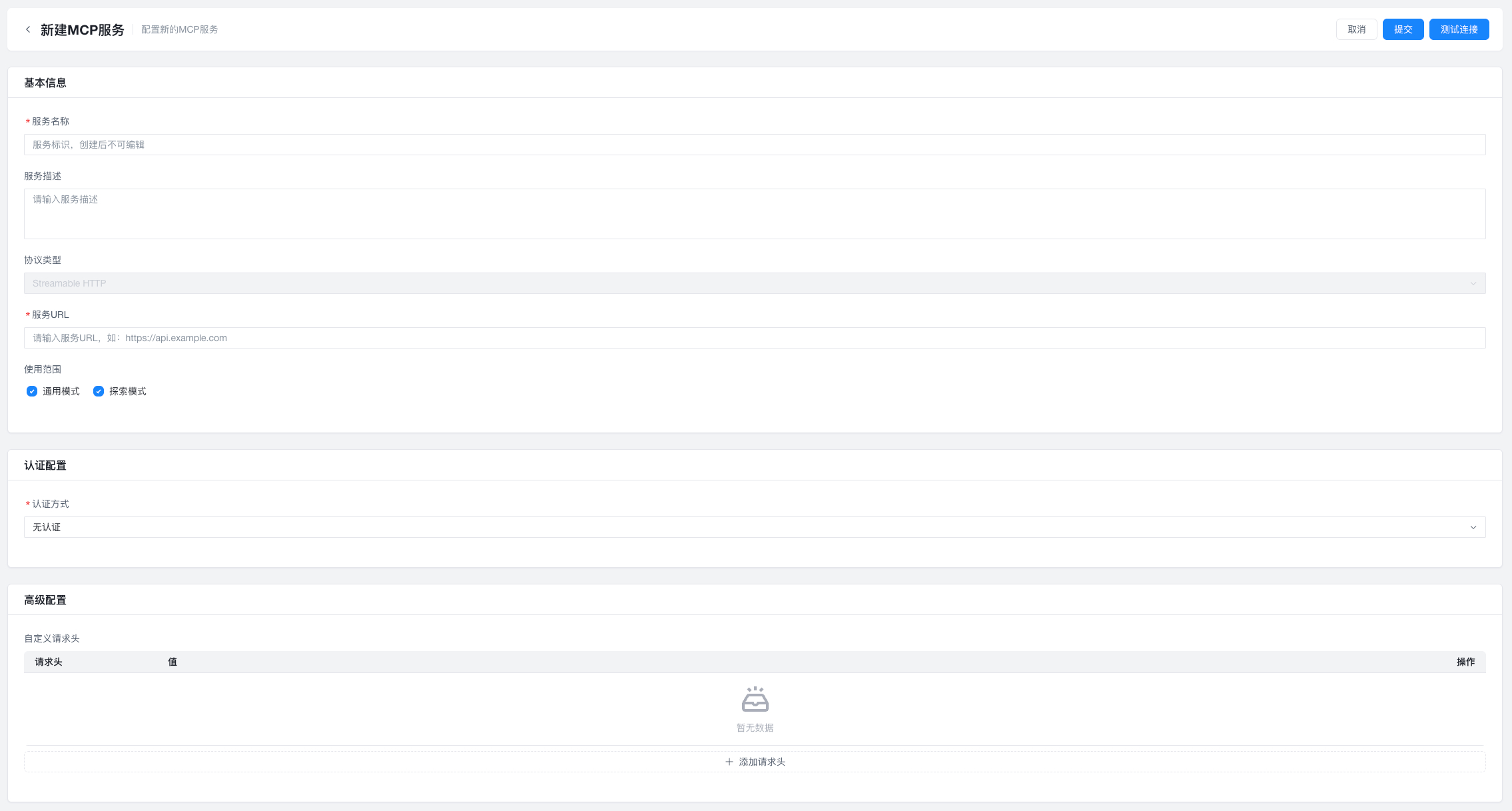
All users can configure MCP services that are available to the whole tenant. Services configured by a tenant administrator take effect across the entire tenant. This is useful when all tenant members should share common resources such as databases, APIs, or knowledge bases.
warning
The tool list is only refreshed after you save again or click Test Connection.
Configuration Details
Entry point:
Tenant administrator signs in to the console -> MCP Configuration
Configurable items include:
- Service name, such as
tenant-sqlite-db. This is the unique identifier of the service and cannot be changed after creation. - Service description, used for maintainers to understand the service. It is not passed to the model.
- Access mode. The platform currently supports Streamable HTTP and SSE MCP services. Confirm the protocol type with the provider before connecting.
- Service URL
- Availability scope: defines which modes can use this MCP service
- Authentication method: none / Bearer Token / Basic Auth
- Custom headers: supports header-based authentication according to the service requirements
Security controls:
- Services created by a tenant administrator are available to the whole tenant
- Regular users can view tenant-level MCP services but cannot edit them; they are unrestricted only for services they created themselves
Service Marketplace
Tenant administrators can add system-provided services from the marketplace. The current marketplace includes:
- Aggregated Search: a unified retrieval service that combines multi-source web search, semantic search, and result aggregation, with structured outputs for real-time information gathering
- Image Generation: an AI-powered image creation service that supports natural-language prompts, multiple sizes, styles, and high-resolution output
- Send Email: a standardized email-sending capability that supports plain text, HTML, attachments, and template rendering for notifications, result delivery, and workflow automation. Before use, add the target email address in
Settings -> Personal Profile.