Connect a WeCom Bot
bit-Agent can connect with a WeCom bot for remote operation. Each bit-Agent client can bind to only one WeCom bot. After connecting the bot, you can chat with it to operate your computer remotely.
Configure the WeCom Bot
- Open the WeCom Workbench and click
Smart Bot.
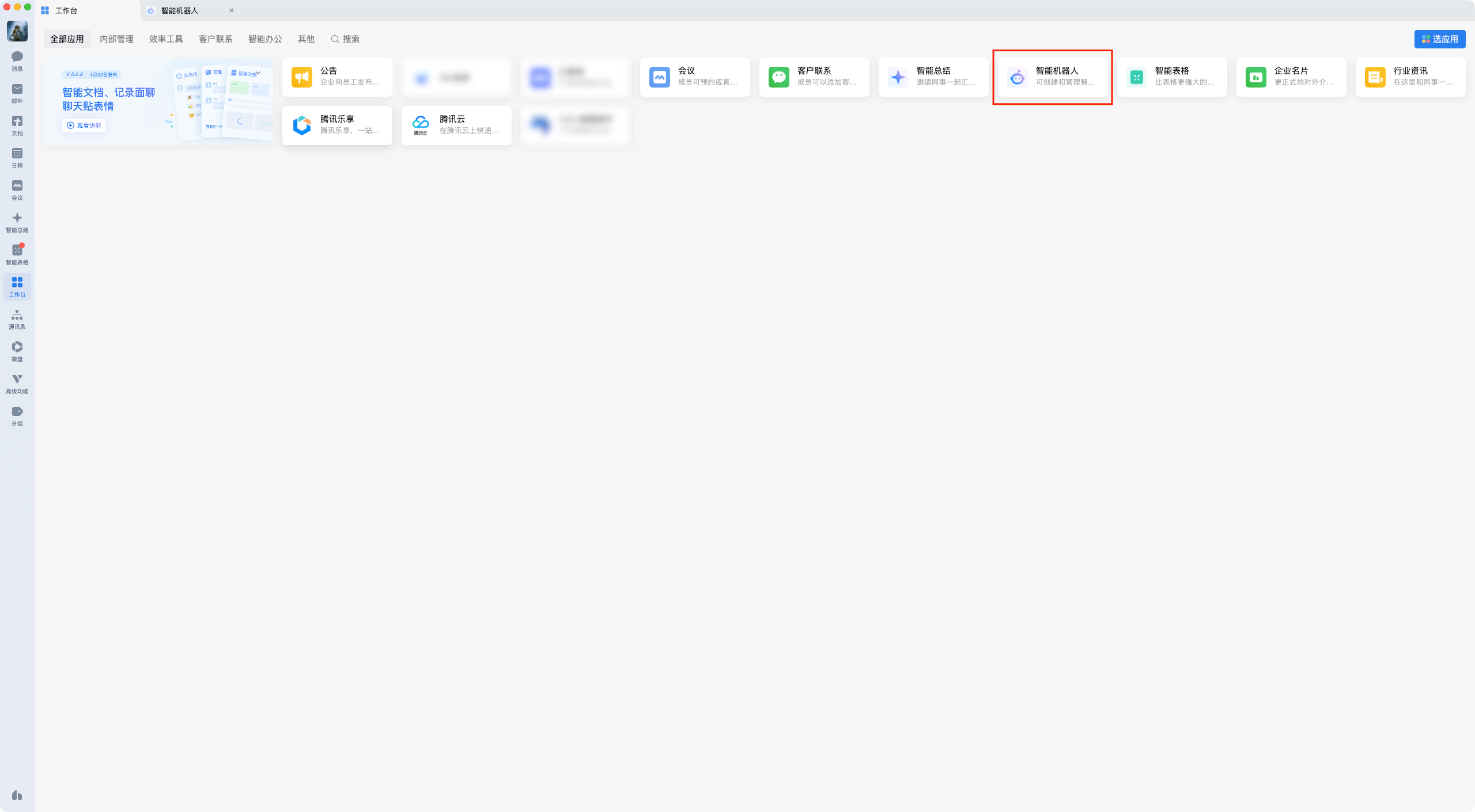
- Click
Create Bot.
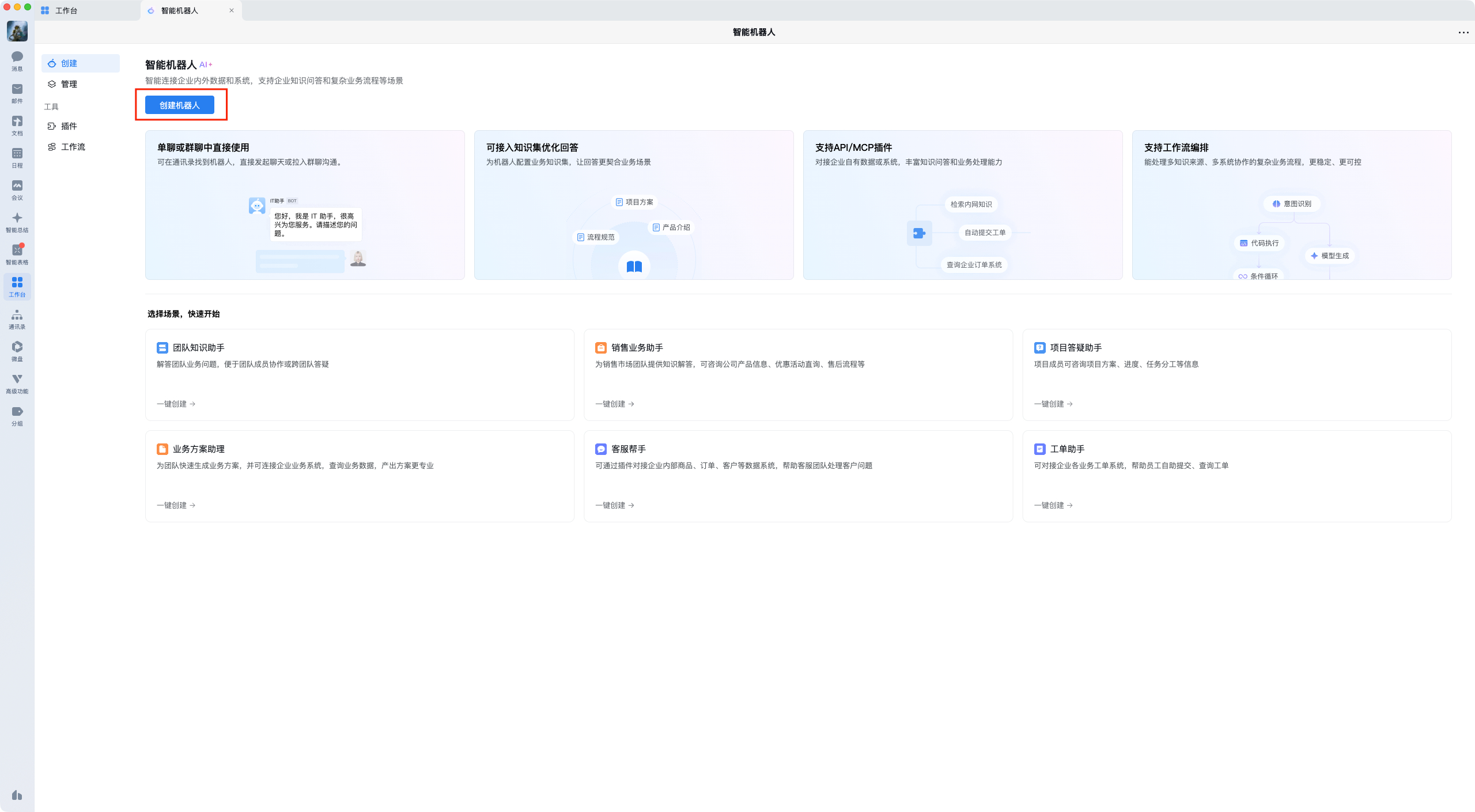
- Click
Create Manually.
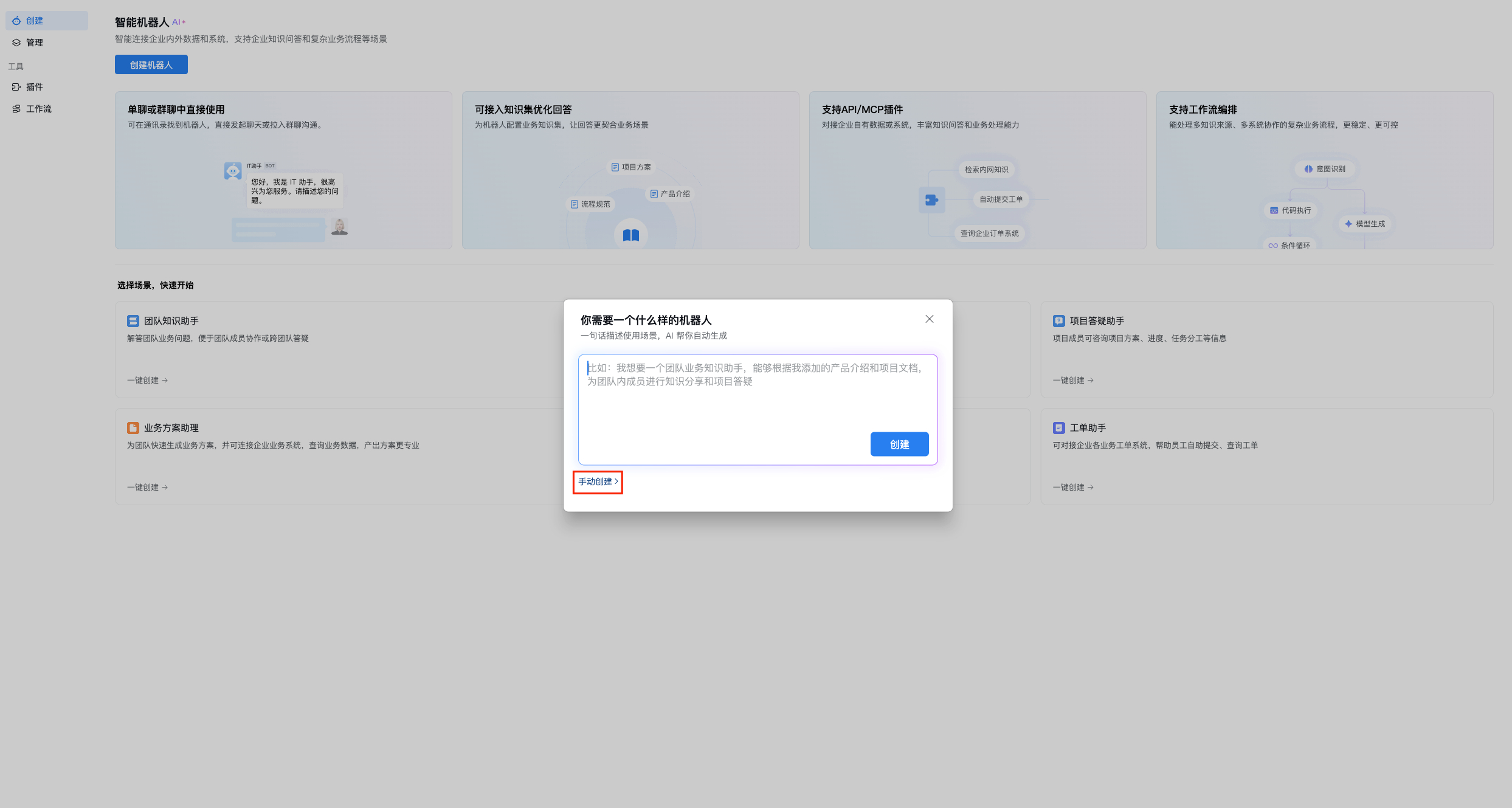
- Click
Create with API Mode.
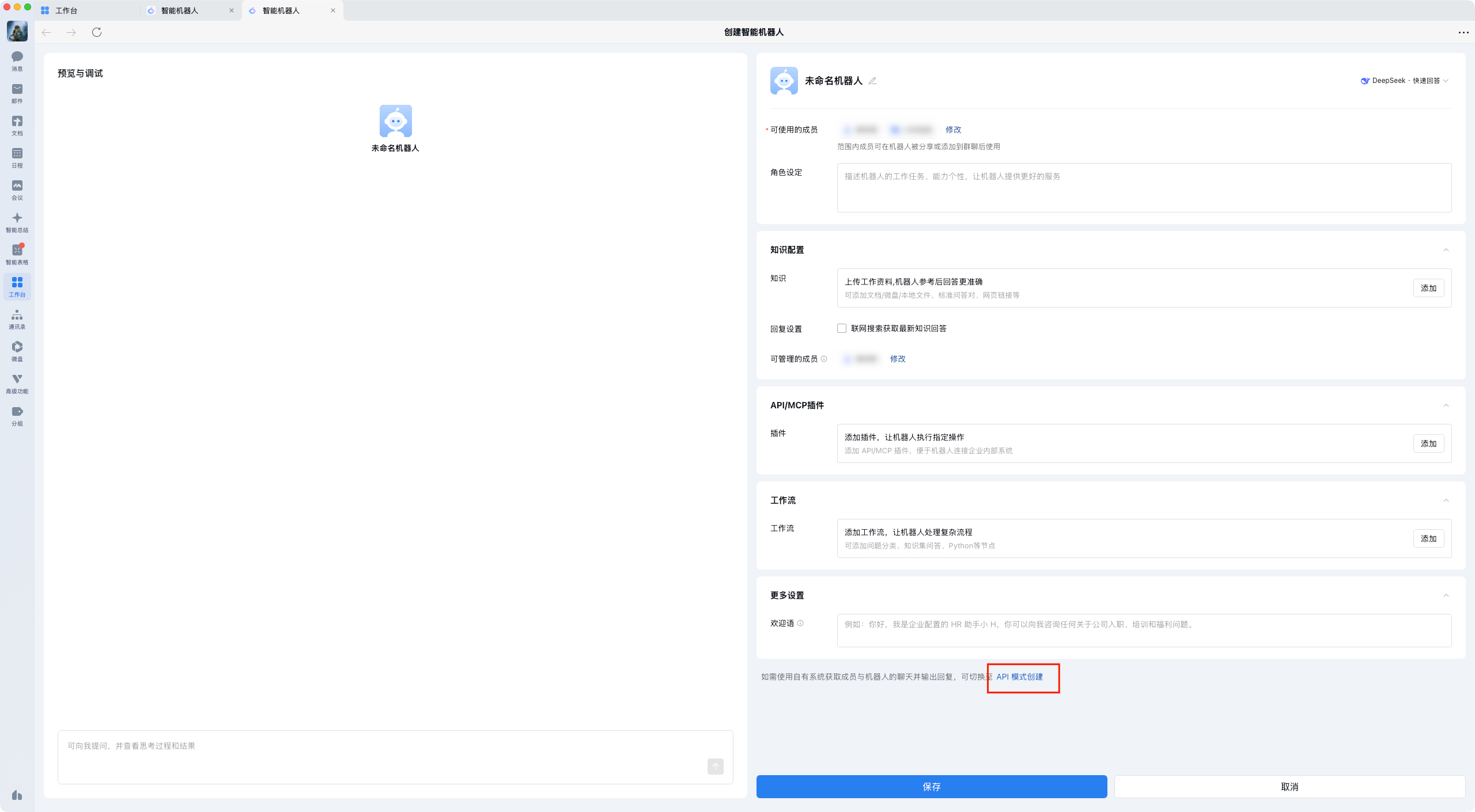
- Choose
Use Long Connection. On this page you will see the Bot ID and Secret.
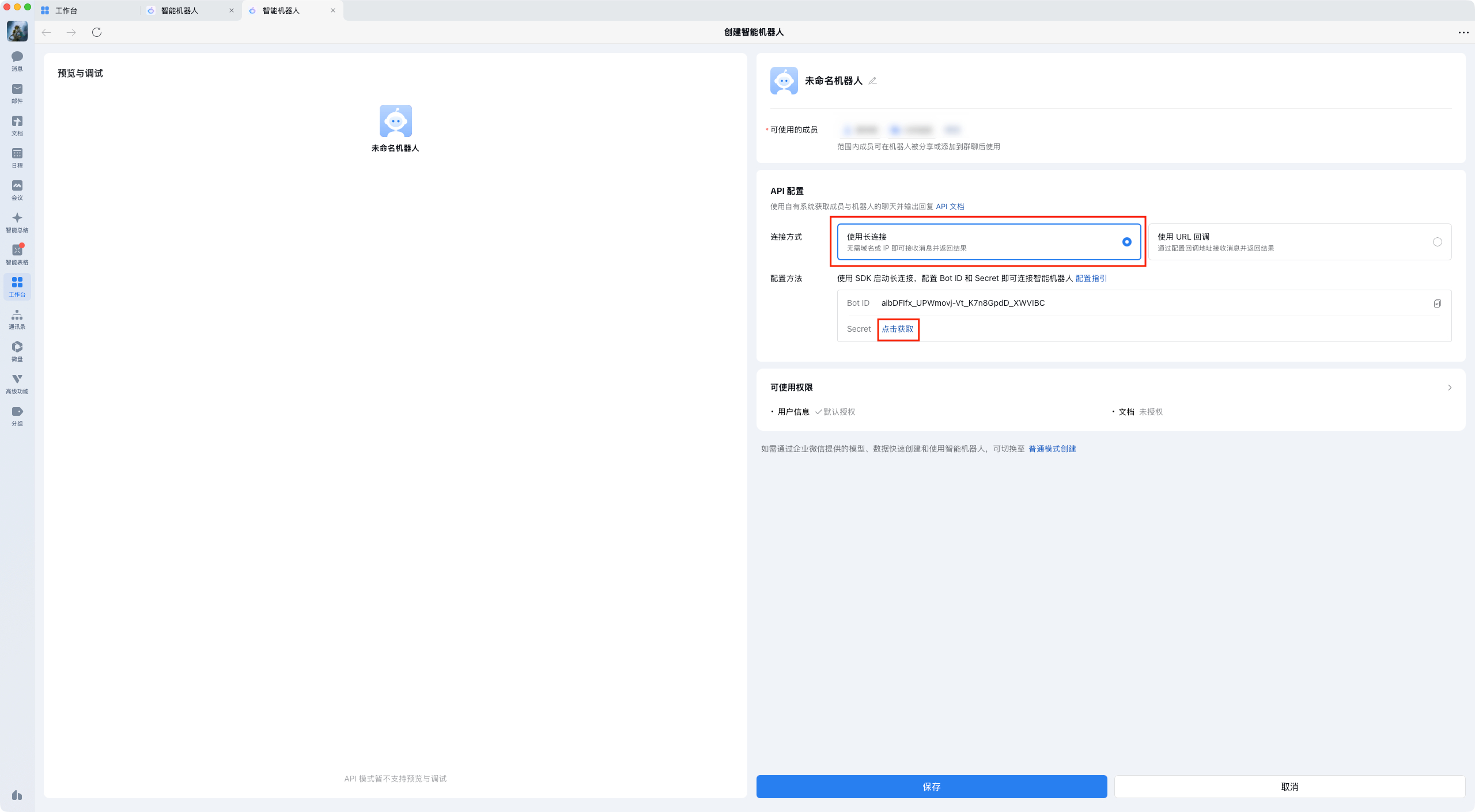
- Save the bot first. This is important.
bit-Agent configuration only takes effect after the bot has been saved.
Configure bit-Agent
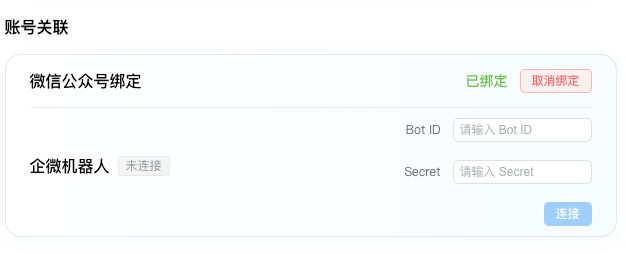
Go to bit-Agent -> Settings, find the account association section, and locate the WeCom bot connection card. Paste the Bot ID and Secret into the fields above, then click Connect.
Use the WeCom Bot
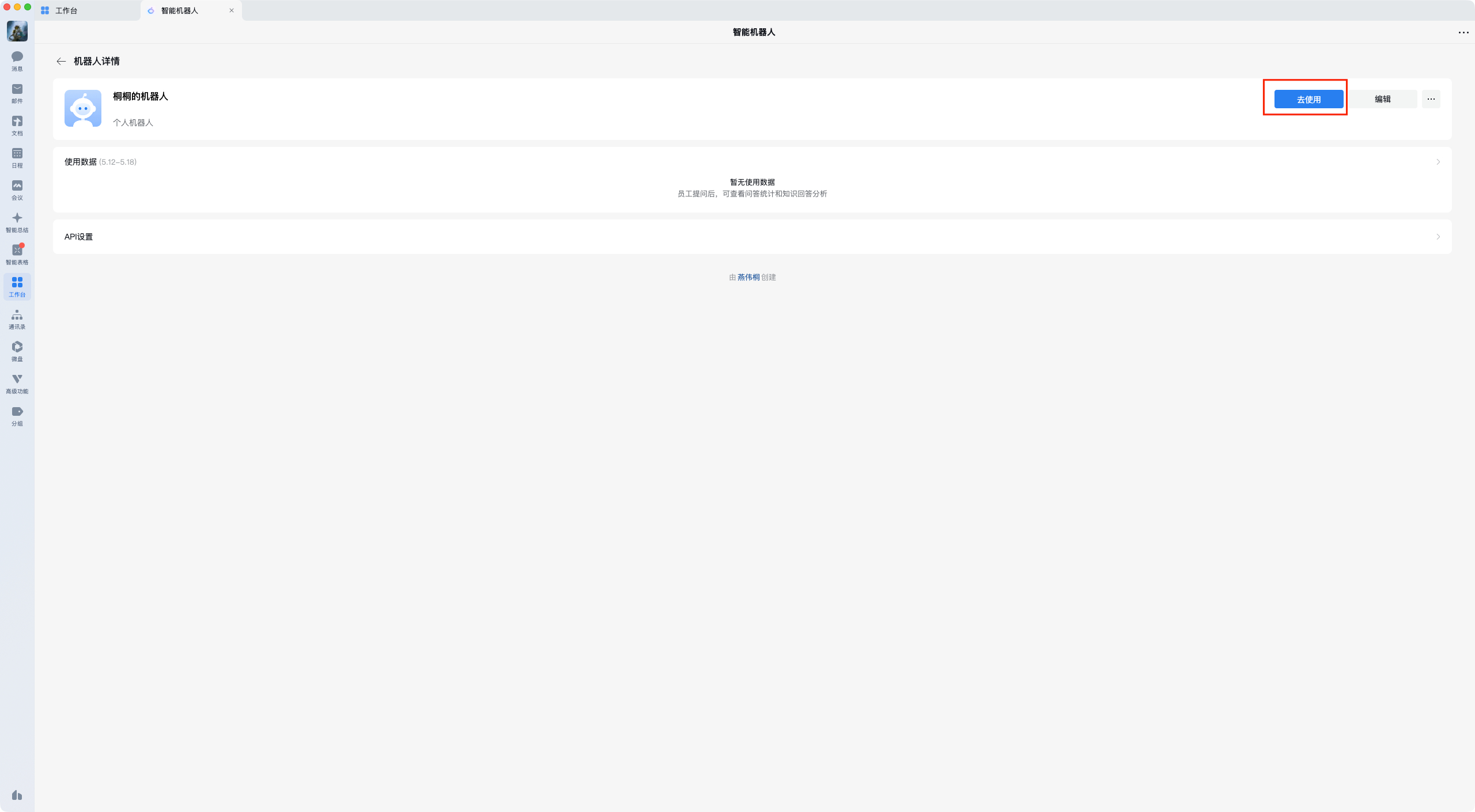
Open the bot page and click Use.
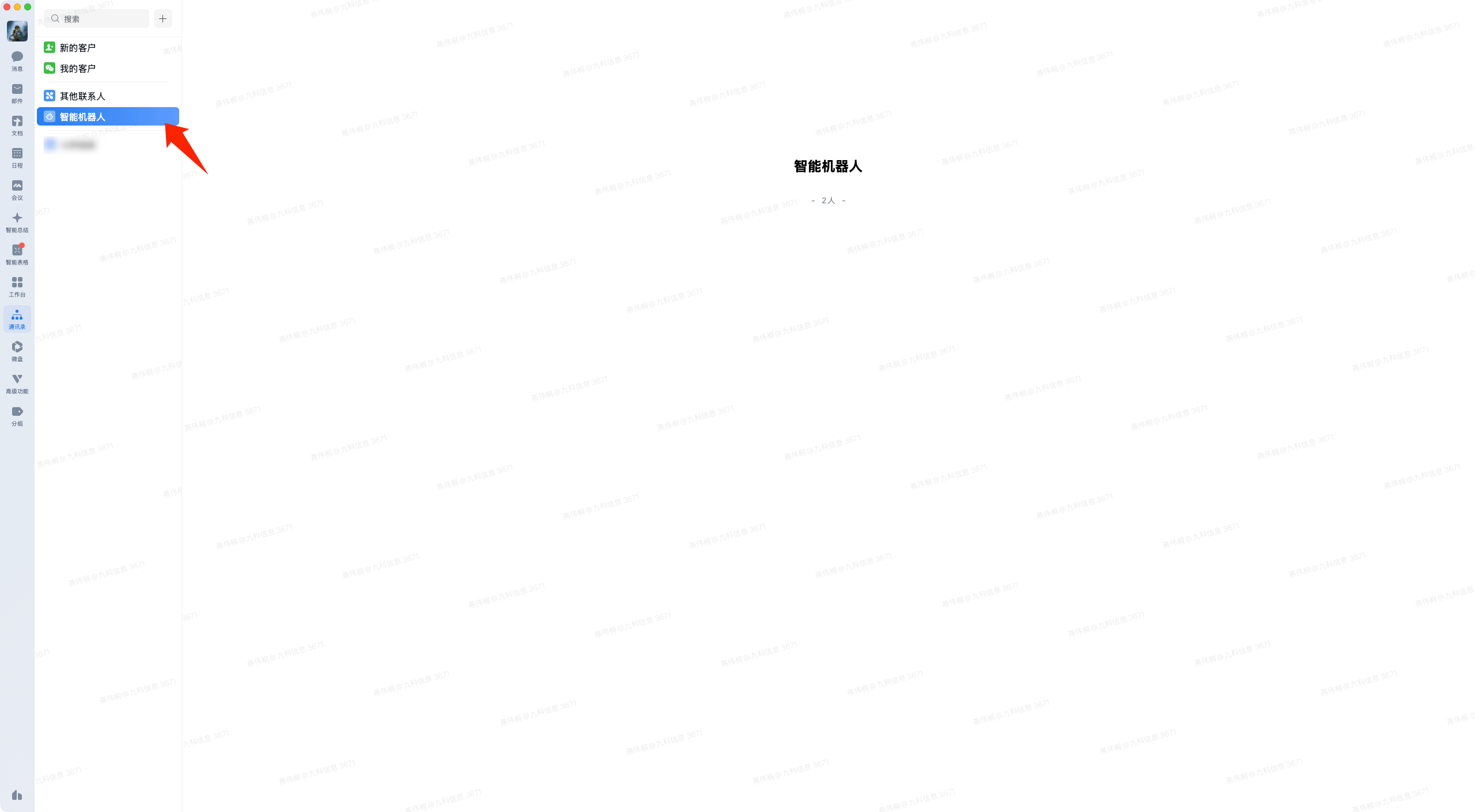
Or open the Smart Bot list in the directory and find the bot there to start chatting.
Supported actions:
- Forward messages
- Analyze images
- Analyze files
- Analyze chat history