Share Conversations
bit-Agent lets you share the current conversation as a link for team collaboration, issue reproduction, or solution demos. With the Share Conversation feature, AI-generated content can be safely and conveniently shared with colleagues or external stakeholders for knowledge sharing and collaborative improvement.
1. Feature Overview
The Share Conversation feature generates a shareable link for the current conversation, including both user input and AI replies.
You can configure access permissions, expiration time, and whether the recipient can continue the conversation, which makes sharing flexible while still keeping it controlled.
Common scenarios:
- Team members review the model's analysis process
- Technical support or administrators reproduce issue context
- Share outcomes such as business analysis, script generation, or automation planning
2. Enable Conversation Sharing
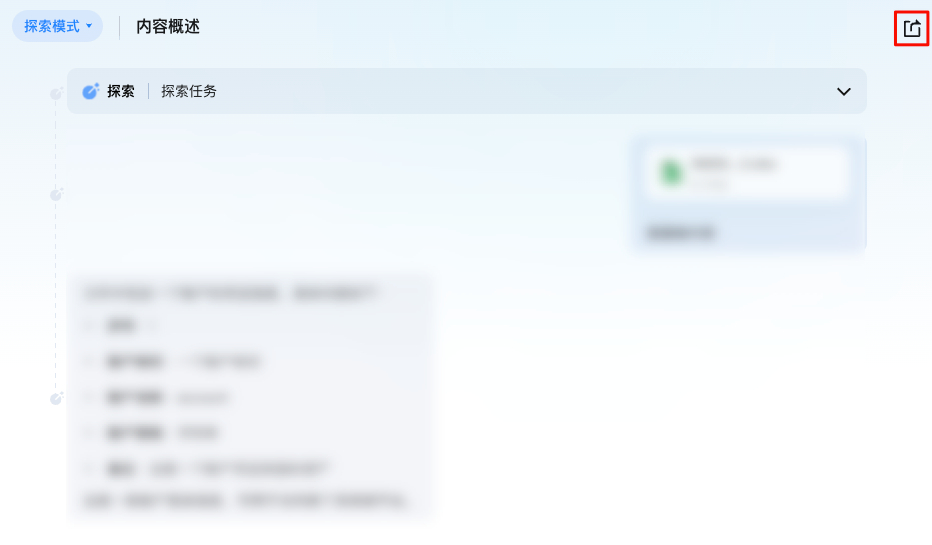
- On any conversation page, click the Share icon in the upper-right corner.
- In the pop-up dialog, copy the share link and send it to the recipient.
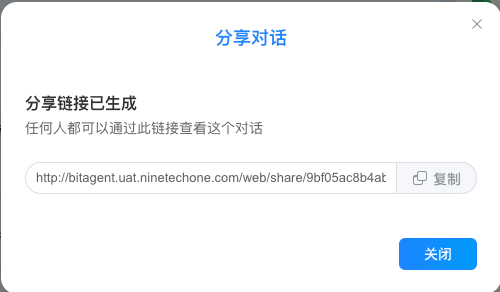
At the moment, shared links cannot be revoked. Make sure no sensitive information is exposed before sharing.
3. View Shared Content
Recipients who open the shared link can view the full conversation. The system replays the conversation process and supports pause, resume, replay, playback speed adjustment, and dragging the progress bar.