Built-in browser dimensions are wrong on a high-resolution screen
Description
On HiDPI or 4K displays, the built-in browser in bit-Agent shows incorrect width or height.
Solution
Set the scale factor manually via the desktop shortcut:
-
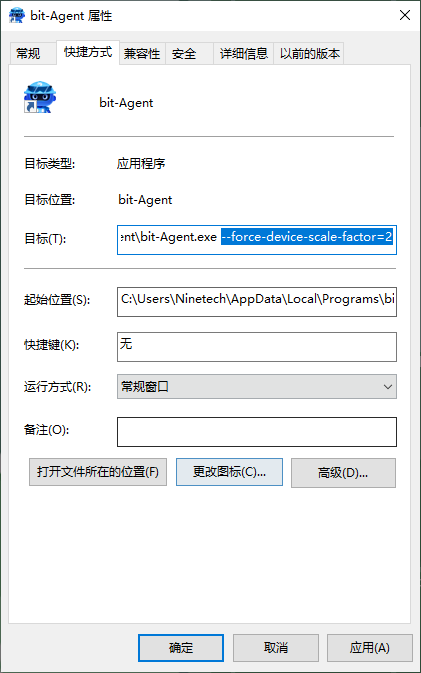
Right-click the bit-Agent shortcut on your desktop and choose Properties
-
At the end of the Target field, append the launch parameter:
--force-device-scale-factor=2 -
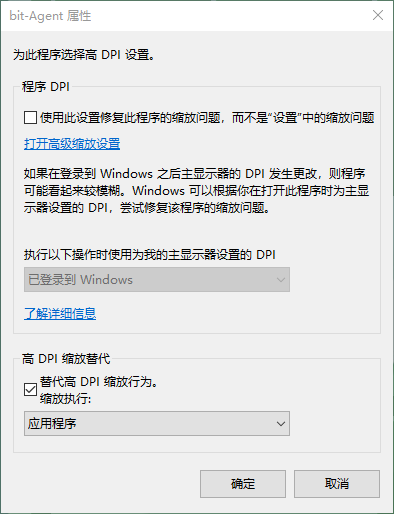
Switch to the Compatibility tab, click Change high DPI settings, and check Override high DPI scaling behavior
-
Click OK and restart bit-Agent
note
2 means 200% scaling. Match this value to the display scale set in your system settings.