Settings
Device Management
On the device page you can view information about the current device, and change its name and avatar so multiple devices are easy to distinguish.
In web mode, you can control different devices separately.
Large Language Models
Currently supported:
- DeepSeek-V4-Flash
- DeepSeek-V4-Pro
- DeepSeek-V4-Pro (Think)
- Qwen-3.5-plus
- Qwen-3.5-plus (Think)
- Qwen-3.6-plus
- GLM-5
- GLM-5 (Think)
Thinking Mode
Thinking-mode models spend more time reasoning before each step, which makes execution slower but can improve understanding of your prompt. Use it when needed.
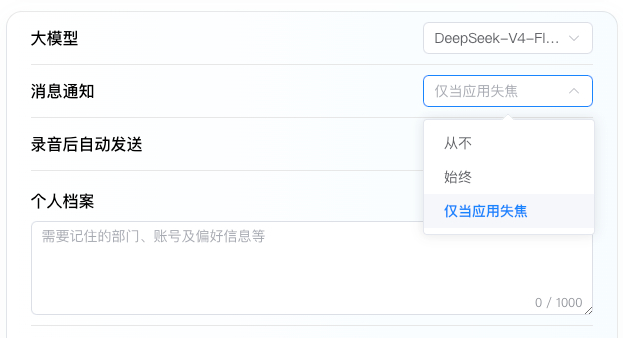
Message Notifications
bit-Agent supports running in the background, and you can configure how completion notifications are delivered.
Auto-Send After Recording
When enabled, a recorded voice message is sent automatically after recording ends. When disabled, you must click the send button manually after recording.
Auto-Parse Downloaded Files
Controls whether downloaded files are parsed automatically. Enable it when later steps need to upload the file again or use its contents during workflow planning.
Skill Environment Variables
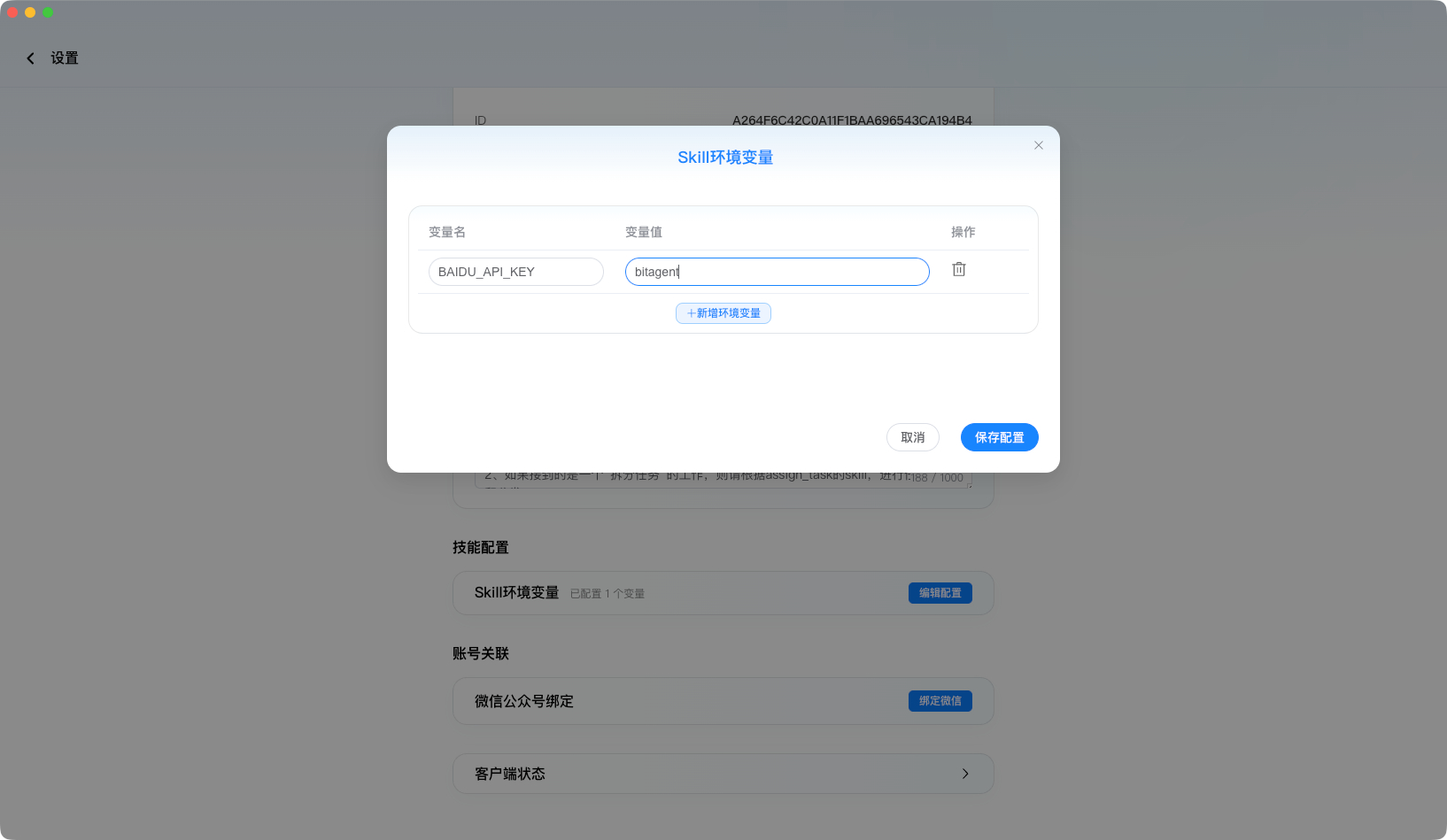
Some Skills require an API_KEY before they can be used. In bit-Agent, this type of configuration is handled as an environment variable.
You can configure the environment variables required by a Skill in Settings. Refer to the documentation for the specific Skill to determine the variable names and values.
You can also edit the .env file directly in the Skill directory.
Environment variable settings only take effect on the current machine.
Personal Profile
Use this section to describe your background, habits, and preferred response style. The system references this information in every conversation to give you more suitable answers.
Private Profile
Use this section to store sensitive information that you do not want other people to see, such as website account names or passwords.
Browser Selection

In General Settings - Browser Selection, you can choose which browser bit-Agent controls.
By default, the built-in browser is selected. You can choose another commonly used browser, or select Custom and paste the path of the browser you want to control.
To use another browser, you must not open it in advance. It must be opened by bit-Agent before bit-Agent can control it.
Currently, only Chromium-based browsers are supported.