Installation
Download the bit-Agent client for your operating system:
Downloads: Windows | Linux (x86) | Linux (Arm) | macOS (Apple silicon) | macOS (Intel)
info
macOS 15 or later is required.
Install on Windows
- Double-click the installer package.

- Click
One-click Install. When the screen below appears, installation is complete. If your antivirus software prompts for permission, allow it, otherwise the application may not work correctly.

Install on macOS
- Double-click the
.dmgfile, then dragbit-Agentinto the folder on the right.
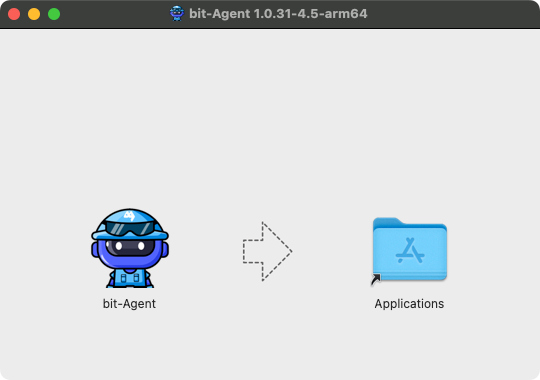
- Open
bit-Agentfrom theApplicationsfolder.
Install on Linux
Double-click the installation package to install it.