Cloud Drive Space
Cloud Drive Space is currently available only to Pro subscribers.
Cloud Drive Space provides a real-time synced folder that makes it easier to keep cloud execution results. It supports:
- Using Skills in the cloud executor
- Keeping results produced by cloud execution
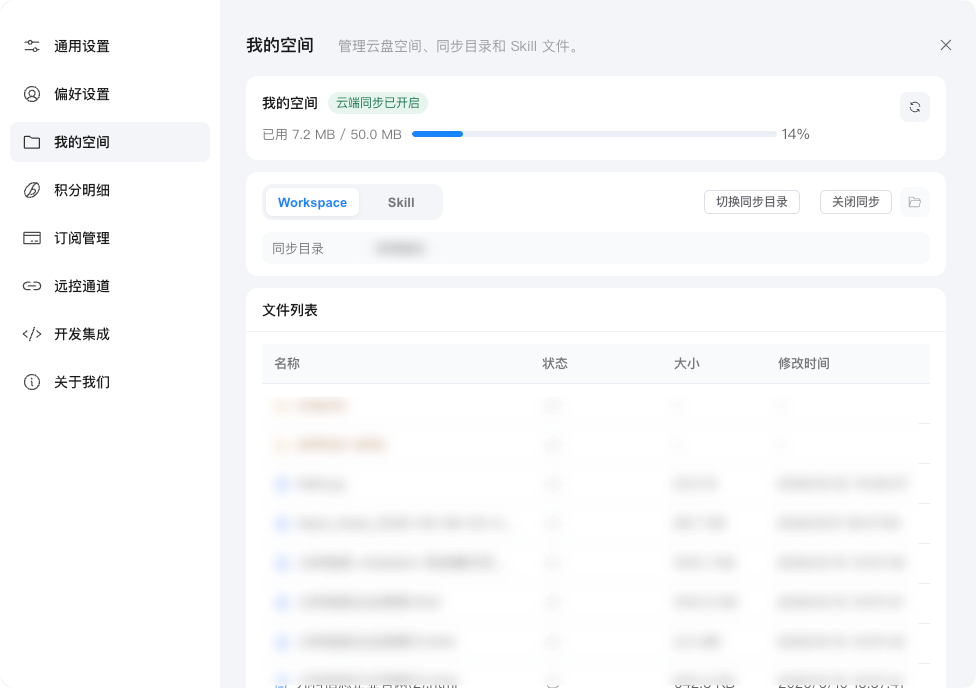
You can find the space entry under Client - Settings - My Space. This feature must be enabled manually in Settings, and currently only Pro subscribers can enable Cloud Drive Space. After it is enabled, Cloud Drive Space automatically syncs your workspace files and Skill files.
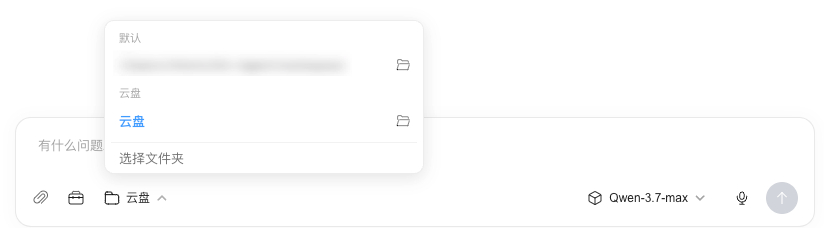
You can manually change the local client's workspace path to Cloud Drive so local work results are also kept in the cloud. This makes it easier to use them across different computers and to share the workspace with the cloud executor.
Adding files to Cloud Drive Space consumes your cloud drive quota, and uploads fail when space is insufficient. The current quota is shared by the whole tenant. However, users can only upload, read, and delete files under their own account directory, and cannot access data from other users or other tenants.