Advanced: Composing Capabilities
Start with an Engineering-Grade Requirement
Requirement:
Every week, collect all announcements published in the last 7 days from a government website and extract structured data
Using the Changchun Municipal Bureau of Commerce website as an example:
Changchun Municipal Bureau of Commerce
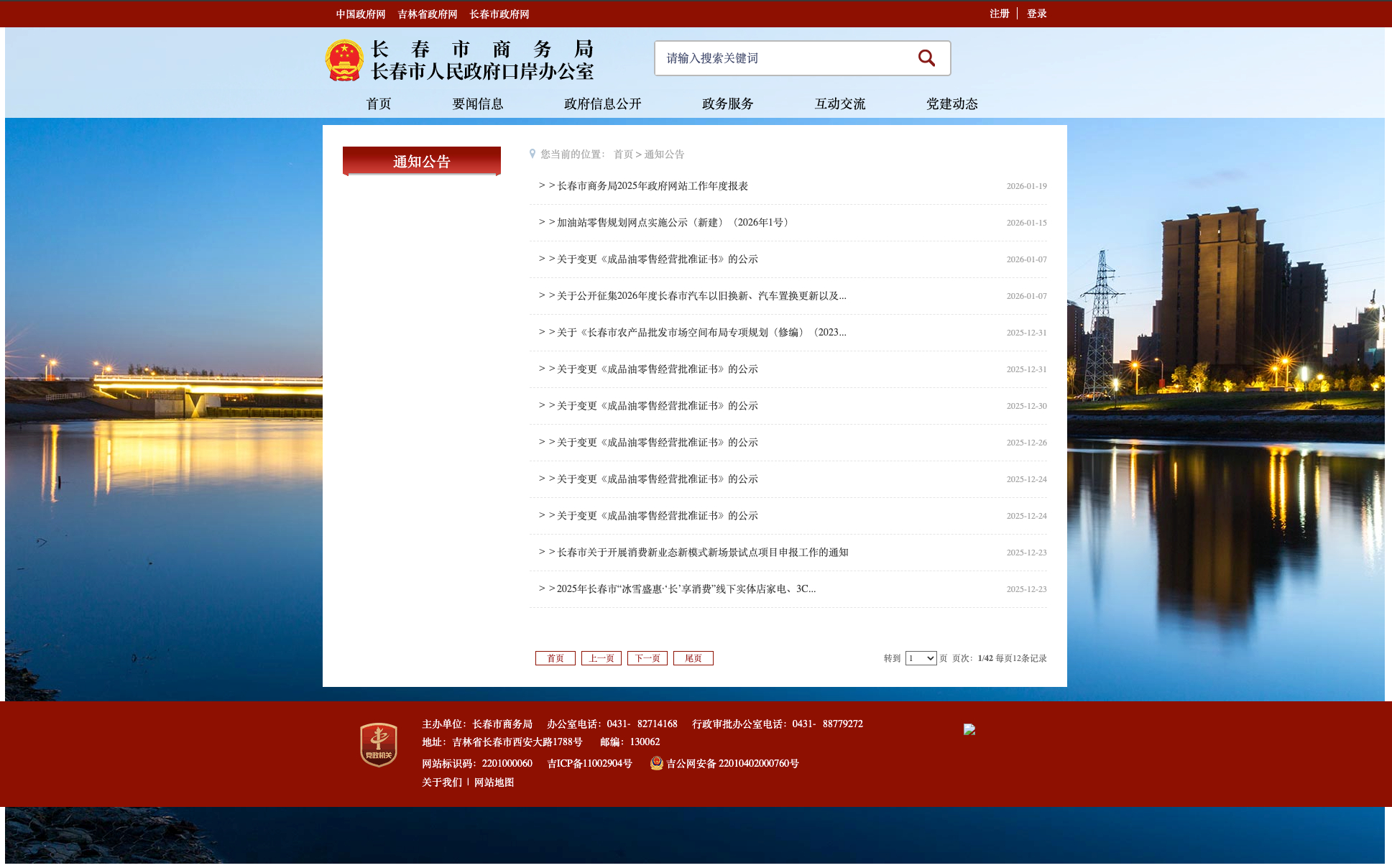
This task has the following characteristics:
- It repeats every week
- The number of announcements changes each time
- Every item must be opened, analyzed, and then closed
- The page structure is complex
- It is not suitable for a one-time exploratory run with a very long prompt
Option 1: Exploration + Scheduling
You can certainly:
- create a schedule
- write a very long prompt with the
Explorecapability - let the model run it automatically every week
The prompt below is an example:
Automatically collect all policies published within the last 7 days from http://swj.changchun.gov.cn/sy/tzgg/ and finally output a JSON string only, with no additional explanation. Run end-to-end without stopping or asking me for confirmation.

Requirements:
- Collect every policy published within the last 7 days
- Do not miss any item, do not duplicate, do not skip
- Process items in list order
- If the detail page is a PDF, skip that item and do not count it as missing
- The final output must be a valid JSON string

Steps:
1. Build the list
Open the page and collect the title, URL, and publish time of every policy published in the last 7 days. The list must be complete.

2. Process each item
For each record:
- Open the policy page
- If the main content is a PDF, skip it
- If it is an HTML page, extract:
{
  "policy_page_url": "",
  "title": "",
  "full_text": "",
  "publishing_department": "",
  "publish_time": "",
  "validity_period": "",
  "summary": "",
  "public_release_time": "",
  "attachments": [
    {
      "attachment_name": "",
      "attachment_url": ""
    }
  ]
}
- The full body text must be captured
- Attachment names and full download URLs must be extracted
- Missing fields should be empty strings

3. Navigate
After each item:
- Go back twice to return to the list page
- Click the next item directly
- Do not use any "next article" button

4. Quality check
List count = successfully captured count + PDF skipped count
If there are missing items, retry automatically

Final output:
{
  "policies": [],
  "summary": {
    "total_results": "X",
    "successful_captures": "Y",
    "pdf_skipped": "Z",
    "data_integrity": "complete"
  }
}
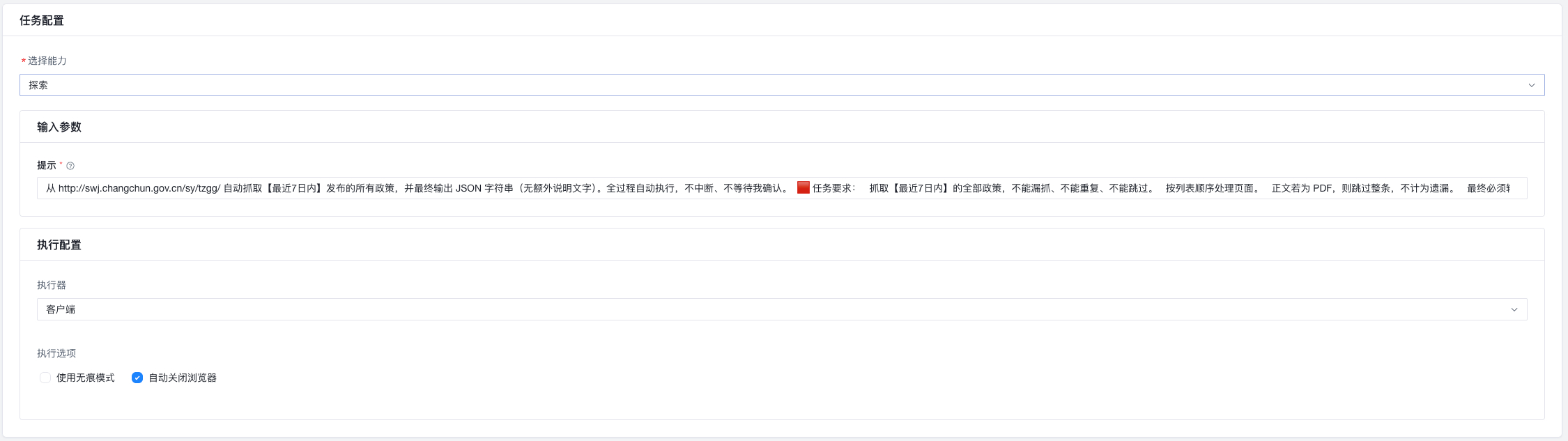
After saving it, the workflow can run automatically every Sunday at 10 PM.
However, this approach has some serious drawbacks:
- Long workflows depend heavily on model stability
- Small page changes can cause the whole run to fail
- It is hard to debug, hard to split, and hard to reuse
Option 2: Engineering Approach: Split and Compose Capabilities
Let us abstract the workflow:
list page -> find matching announcements ->
for each announcement: open -> extract -> close ->
after all items: generate summary
We split it into two capabilities.
Capability A: Collect a Single Announcement
It has one job:
given one announcement entry ->
open it -> extract data -> close it -> return to the list
Step structure:
- Open a new page
- Click an element
- Generate data
- Close the tab
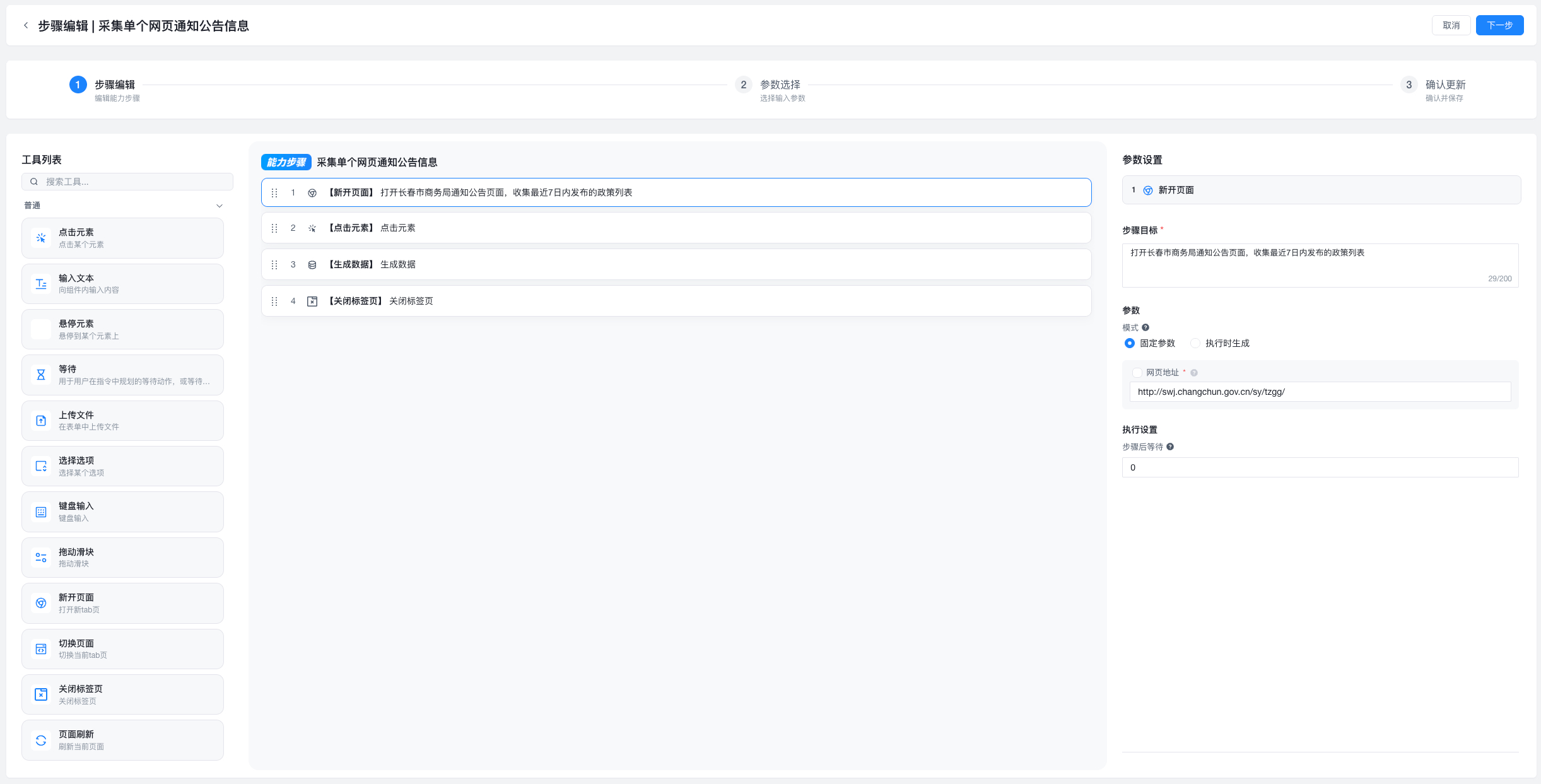
Key design point:
make the clicked element an input parameter
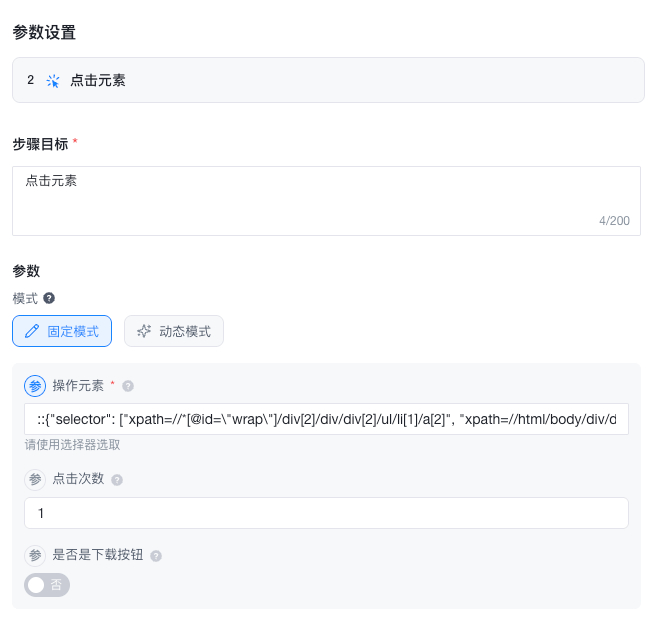
Then define the data structure in the Generate Data step:
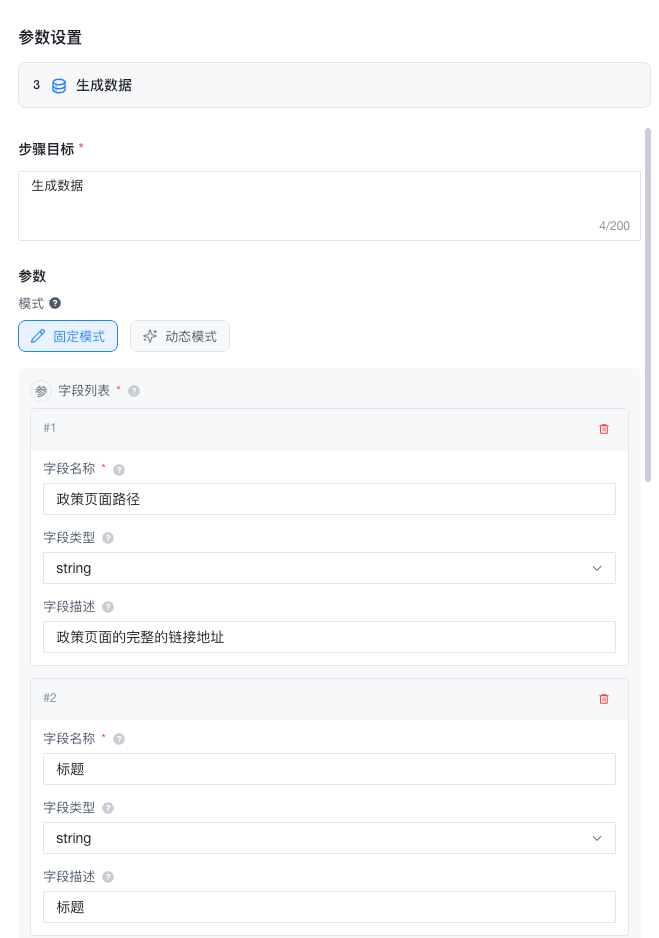
Save this as a reusable single-page collector.
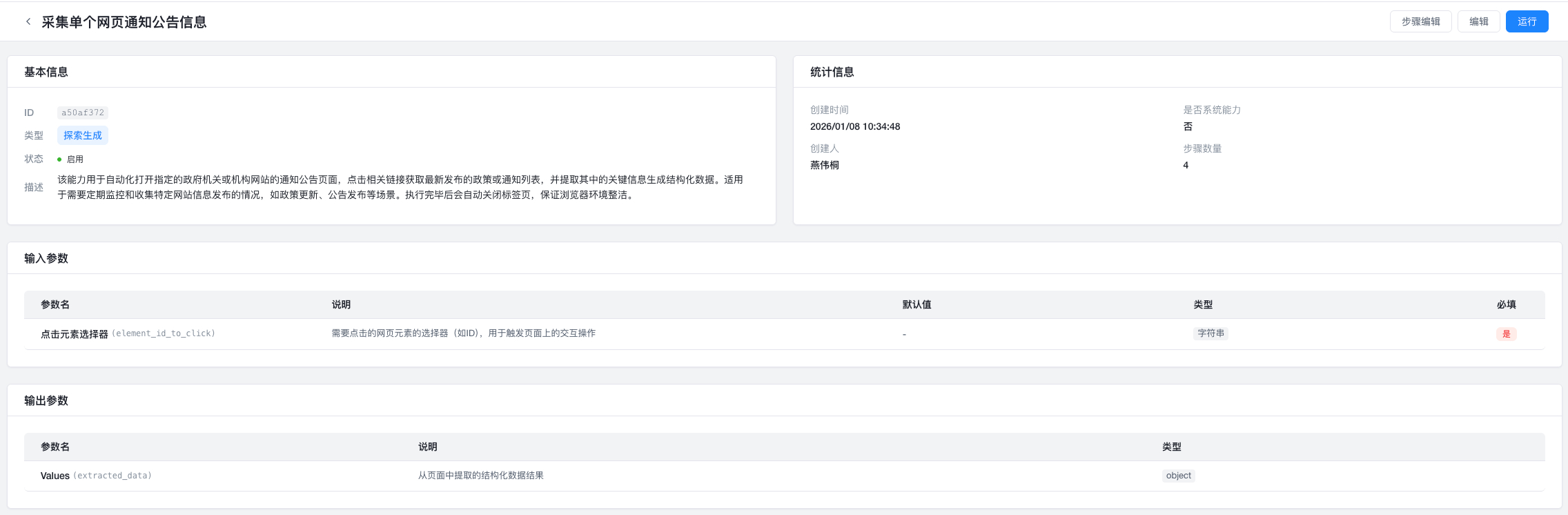
Because Capability A is a child capability, it is recommended to enable:
Benefits:
- avoids accidental triggering
- avoids repeatedly opening new pages
- makes behavior safer and more controllable
Capability B: Schedule and Loop over Capability A
This capability is responsible for:
open the list page
find all matching announcements
loop and call Capability A
generate a final summary
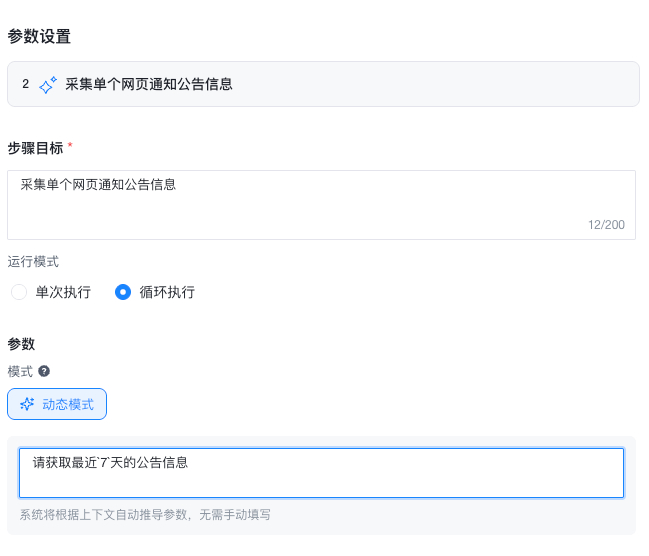
Loop Execution
bit-Agent lets you mark a step as:
Loop Mode
Then the AI decides:
- how many times to run
- what parameters to use each time
- when to stop
What is Dynamic Mode?
Here, the parameter source is:
Dynamic Mode
That means:
- the parameter is not hard-coded ahead of time
- AI decides it at runtime based on the current context
For this example, the dynamic prompt is:
Automatically collect all policies published within the last 7 days
Dynamic Mode vs Extracting a Parameter
| Scenario | Recommended approach |
|---|---|
| The user needs to provide a fixed value ahead of time | Extract as a parameter |
| The value should be decided from the page or context | Dynamic Mode |
After saving, set a schedule for Capability B and the workflow is complete.
Final Outcome
What you get is not:
a fragile weekly agent that depends on luck
Instead, you get:
a decomposable, maintainable, debuggable, long-running, reusable
automated data production pipeline